Diagnostic Aids 3-3
4025-XXX
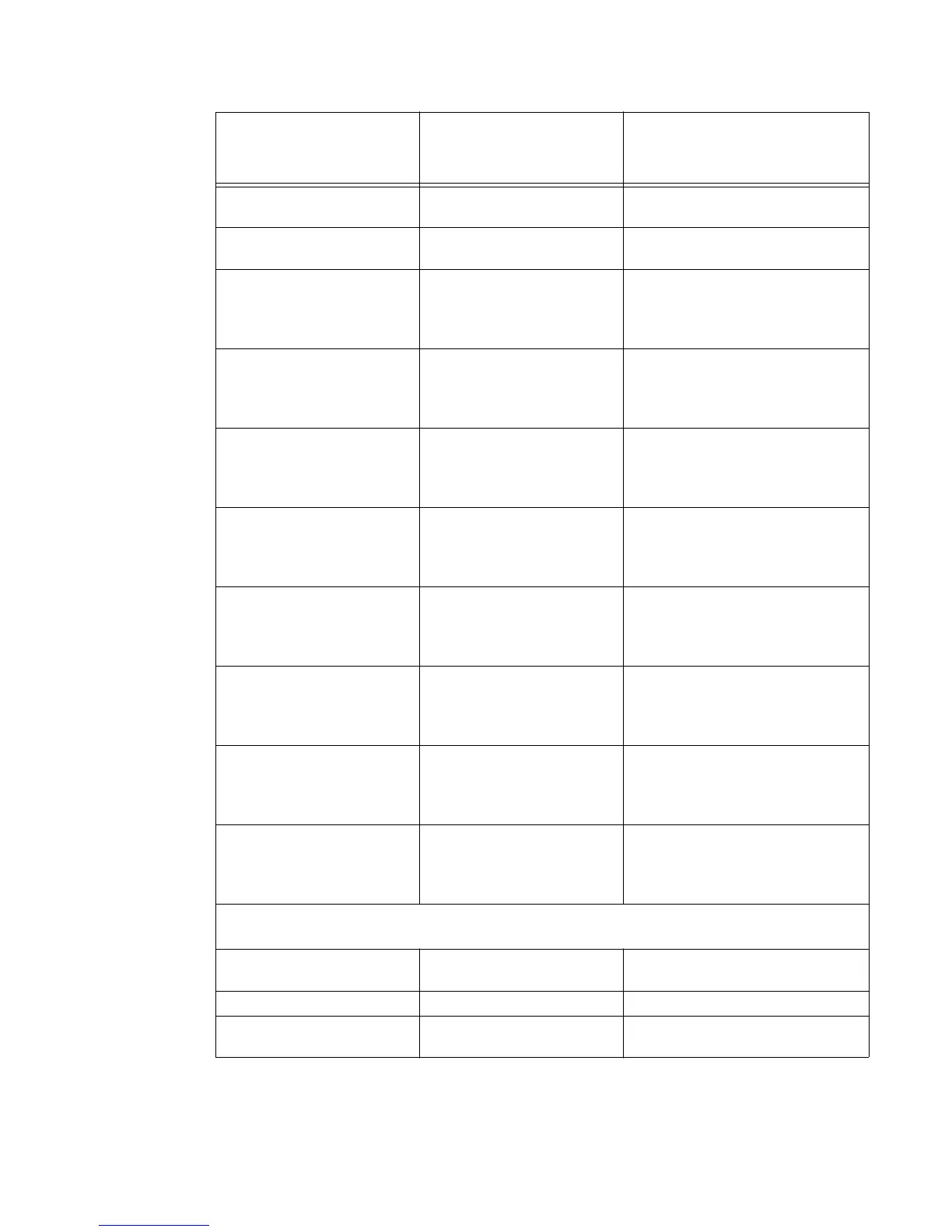
DRAM Memory Test Go to “DRAM Memory Test” on
page 3-9.
ROM Memory Test Go to “ROM Memory Test” on
page 3-10.
Parallel Wrap
Only displayed if the
printer is configured with a
standard parallel port.
Go to “Parallel Wrap Test” on
page 3-10.
Parallel 1 Wrap
Only displayed if a parallel
port is available using PCI
slot 1.
Go to “Parallel Wrap Test” on
page 3-10.
Parallel 2 Wrap
Only displayed if a parallel
port is available using PCI
slot 2.
Go to “Parallel Wrap Test” on
page 3-10.
Parallel 3 Wrap
Only displayed if a parallel
port is available using PCI
slot 3.
Go to “Parallel Wrap Test” on
page 3-10.
Serial Wrap
Only displayed if the
printer is configured with a
standard serial port.
Go to “Serial Wrap Test” on
page 3-12.
Serial 1 Wrap
Only displayed if a serial
port is available using PCI
slot 1.
Go to “Serial Wrap Test” on
page 3-12.
Serial 2 Wrap
Only displayed if a serial
port is available using PCI
slot 2.
Go to “Serial Wrap Test” on
page 3-12.
Serial 3 Wrap
Only displayed if a serial
port is available using PCI
slot 3.
Go to “Serial Wrap Test” on
page 3-12.
DUPLEX TESTS
Only displayed if a duplex unit is installed.
Quick Test Go to “Duplex Quick Test” on
page 3-14.
Top Margin -20 to 20 (0)
Sensor Test Go to “Duplex Sensor Test” on
page 3-14.
Top-level Menu
Intermediate Menu,
Printer Setting, or
Operation
Value List



 To Next Page