4-96 Service Manual
4025-XXX
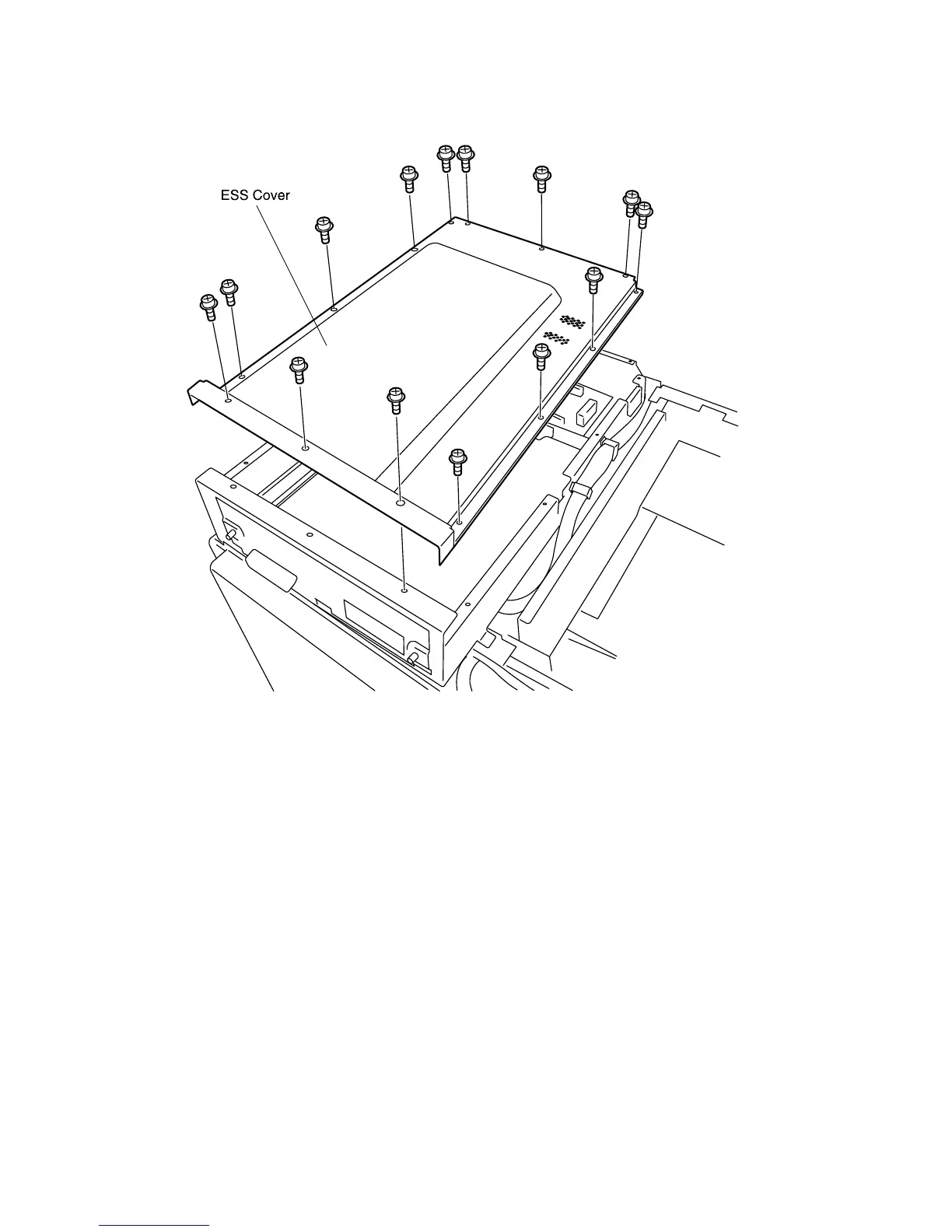
ESS Cover
Removal
1. Remove the Top Cover Assembly.
2. Remove the fourteen screws that secure the ESS Cover to the ESS Box.
3. Lift the ESS Cover off of the ESS Box.
Replacement
1. Reinstall the ESS Cover onto the top of the ESS Box (see the figure for correct
positioning).
2. Use fourteen screws to secure the ESS Cover to the ESS Box.
3. Reinstall the Top Cover Assembly.



 To Next Page