4-56 Service Manual
4025-XXX
Registration Sensor
Removal
1. Open the Left Upper Cover.
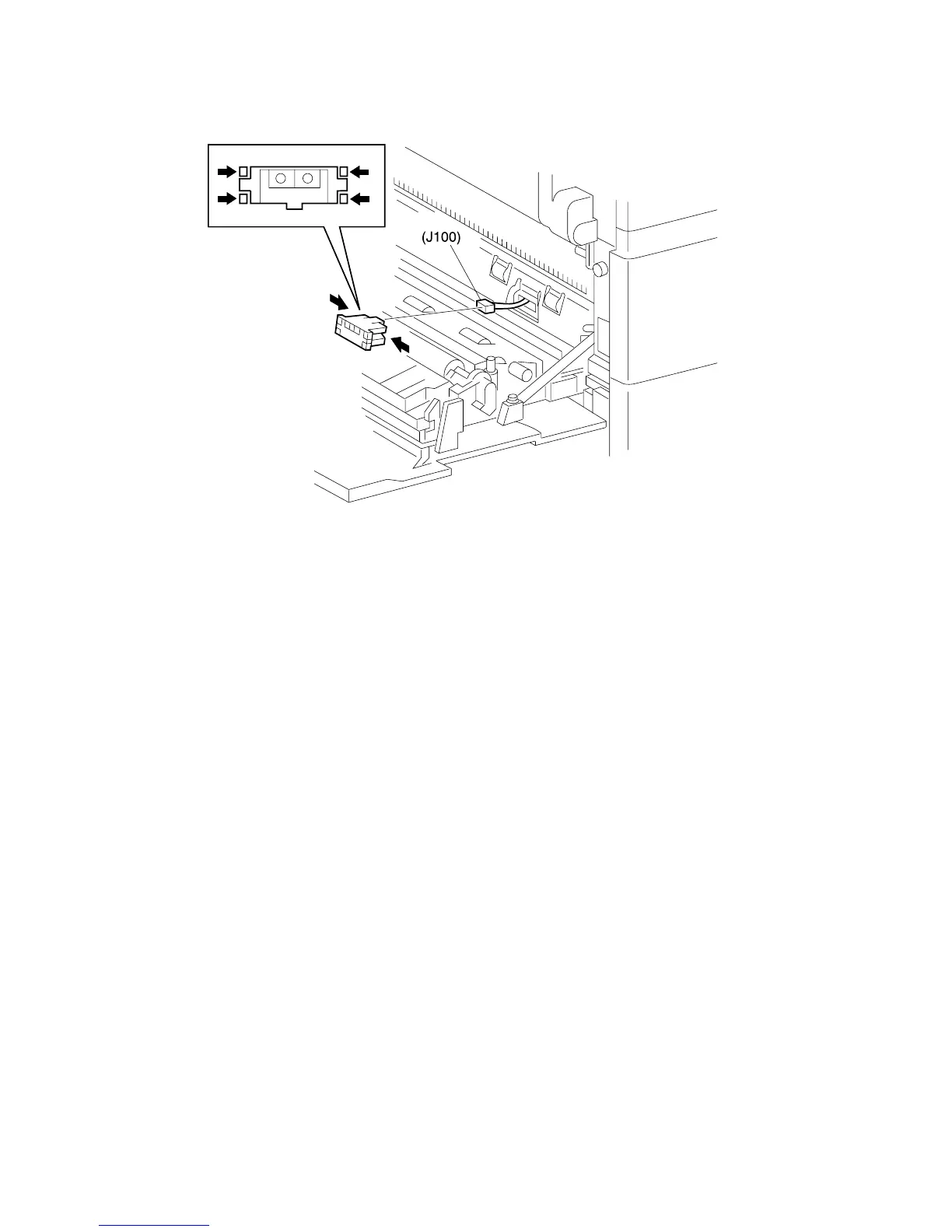
2. Squeeze in all four Sensor latches while you pull the Sensor out of the Registration
Chute Assembly.
3. Disconnect J100 from the rear of the Sensor.
Replacement
1. Reconnect J100 to the Registration Sensor.
2. Insert the Sensor into the cutout in the Registration Chute Assembly.
3. Press in on the Sensor unit it snaps into place.
4. Close the Left Upper Cover.



 To Next Page