4-78 Service Manual
4025-XXX
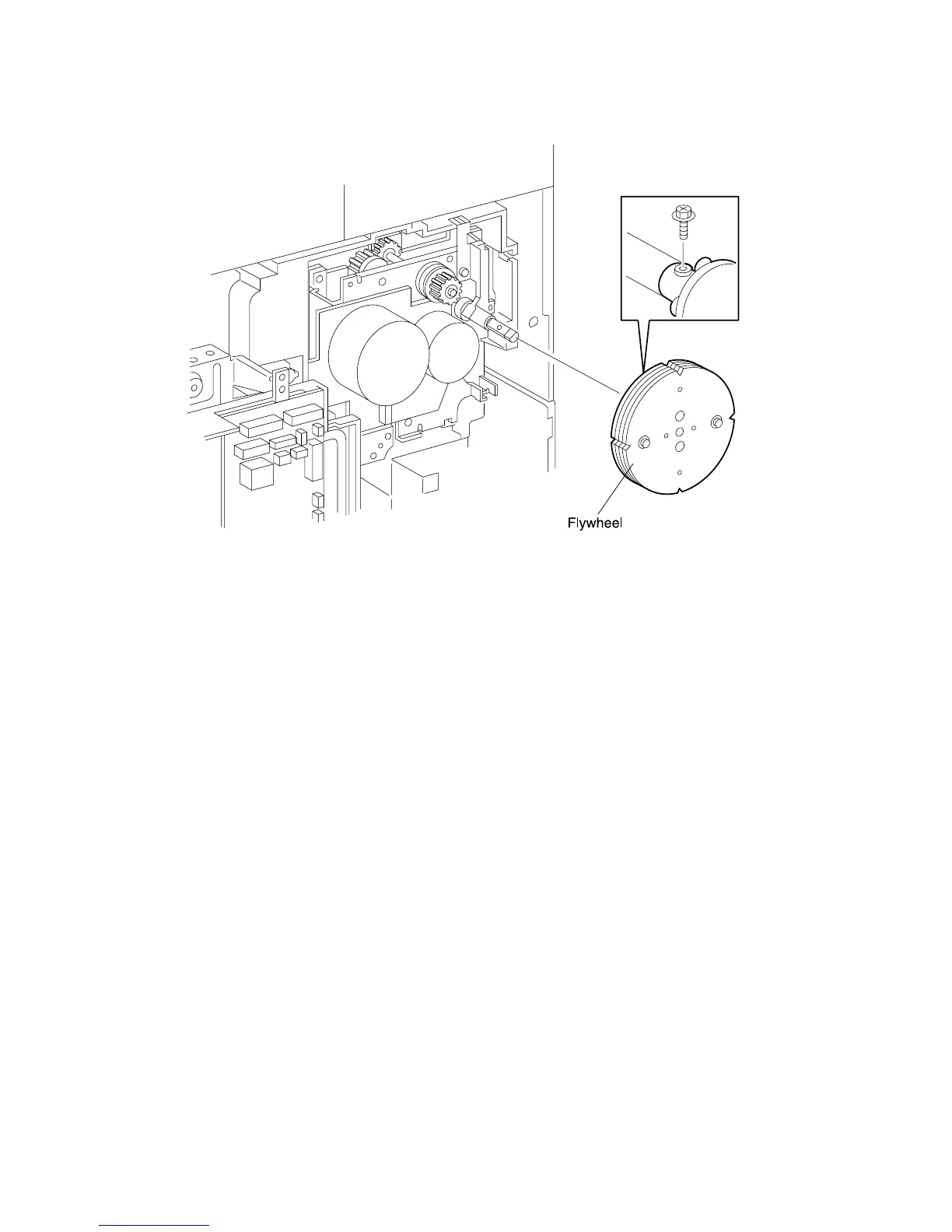
Flywheel Assembly
Removal
1. Remove the Rear Cover.
2. Remove the screw securing the Flywheel to the Drive Assembly shaft and pull the
Flywheel off of the shaft.
Replacement
1. Position the Flywheel as shown, making sure the screw hole in the flange at the rear
of the Flywheel lines up with the screw hole in the shaft.
2. Press the Flywheel onto the shaft and rotate the shaft, as needed, to line up the two
screw holes. If you have trouble reinstalling the Flywheel onto the shaft, loosen the
two screws located at the front of the Flywheel, slide the Flywheel onto the shaft,
and tighten the two screws.
3. Use one screw to secure the Flywheel to the Drive Assembly shaft.
4. Reinstall the Rear Cover.



 To Next Page