4. Operating AC Smart
Installation/Owner's Manual
4-55
History
When there is a change in the setting and condition of indoor unit and ventilator connected to AC
Smart through the network, the applicable information is recorded.
In the history menu, you can view the setting and changes of the record of the indoor unit and
ventilator. Also, you can check the running time usage by indoor unit.
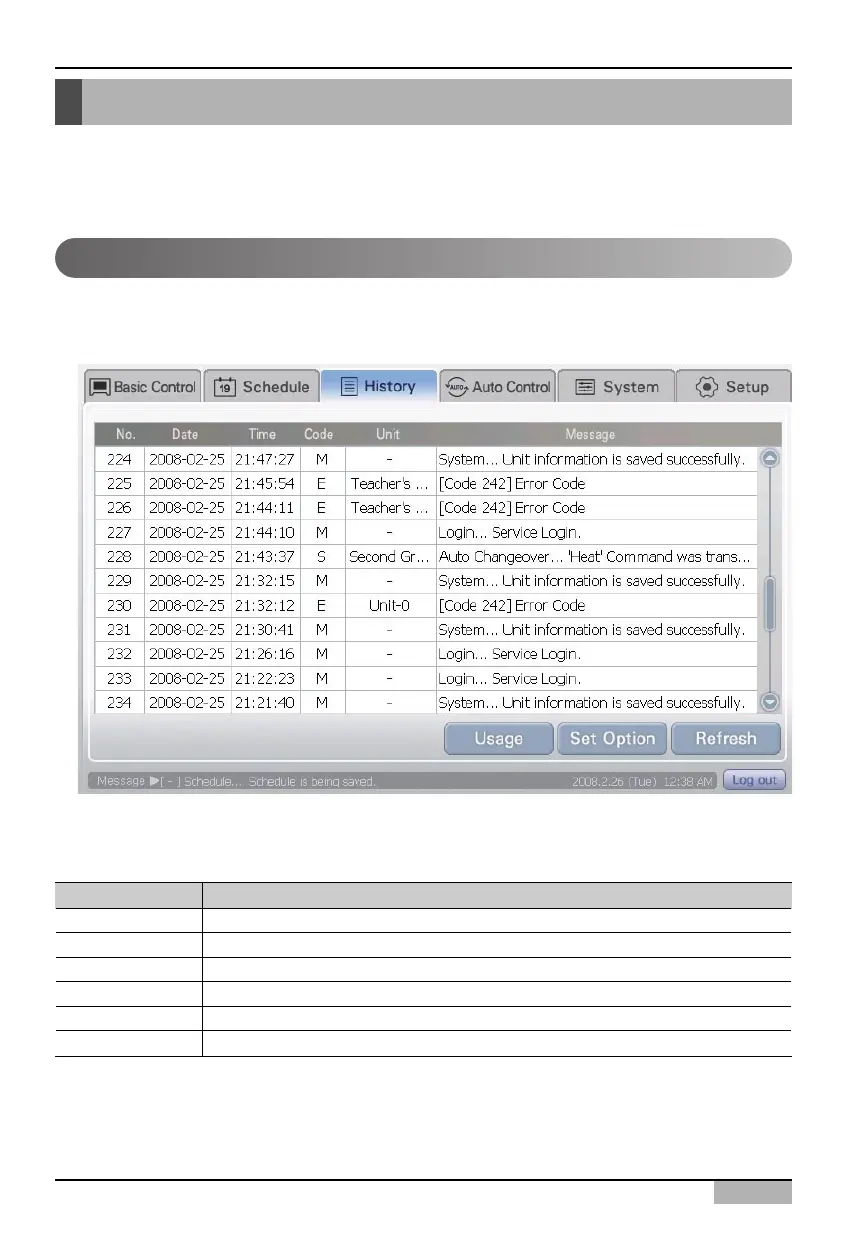
In history screen, the setting and changed information of AC Smart are displayed in the table format.
The displayed information is as follows.
To browse the setting and changes of the record of indoor unit and ventilator, proceed in the following order.
Select the history menu from the menu of LCD panel. When you select the history menu, the following history
screen is displayed.
Browsing history
Item Description
No. Order the event occurred is displayed.
Date Date the event occurred is displayed.
Time Time the event occurred is displayed.
Code Event classification code is displayed.
Unit Group and applicable unit in which the event occurred is displayed.
Message Detail information of the event is displayed.












 To Next Page