2. AC Smart Installation
AC Smart
2-19
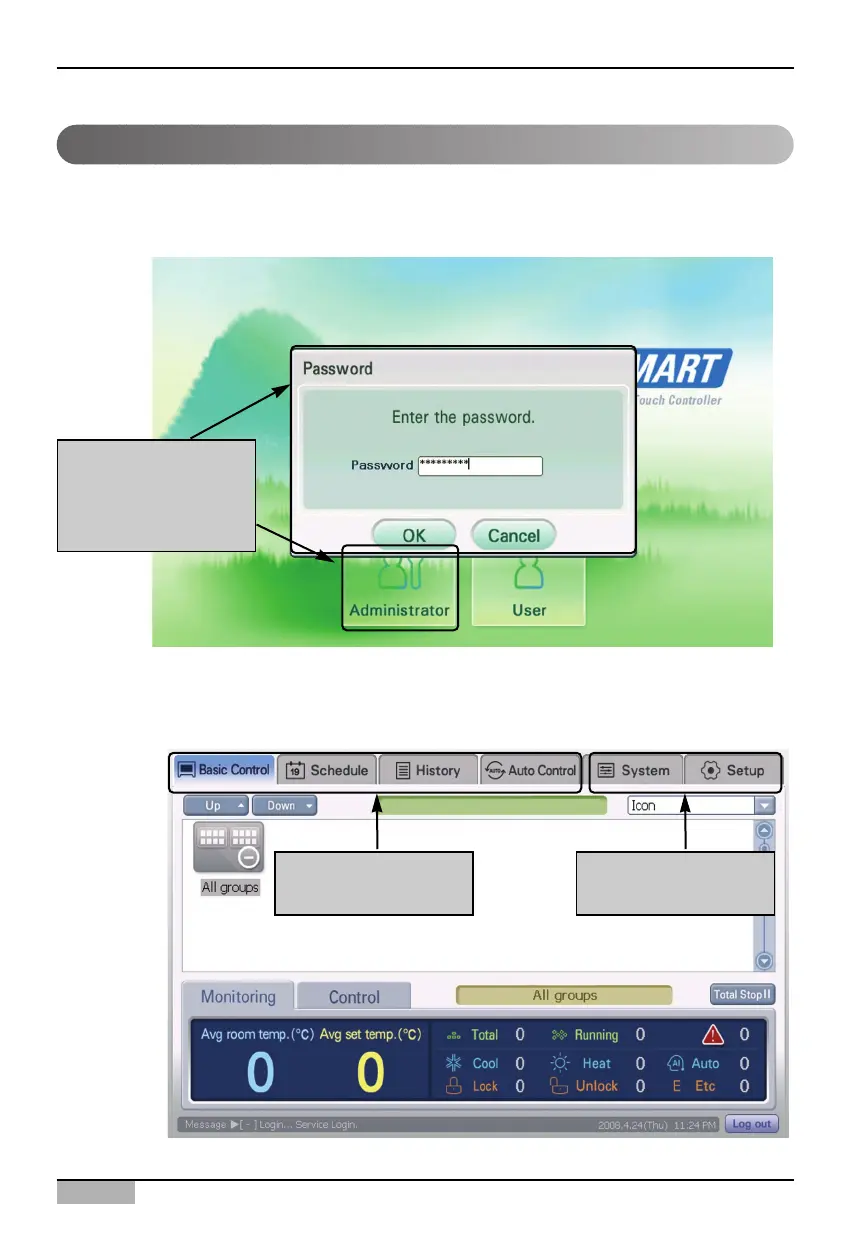
When you press ‘Administrator’ button, the password screen is displayed to enter the password. Enter
the password and press [OK] button. When you log into the AC Smart for the first time, the password
is not set.
When you correctly enter the password and press [OK] button, you log into the AC Smart and you can
all functions excepting some menus at ‘System setting’ menu and ‘Environment setting’ menu.
Logging in as administrator
Press [Administrator]
button to display the
password input
screen
Possible to use all
functions
Some functions
impossible to use












 To Next Page