4. Operating AC Smart
Installation/Owner's Manual
4-29
Creating schedule pattern
Schedule pattern is a unit designating a certain operation of the air conditioner in a weekly or daily
unit.
You can create a schedule pattern according to the following description.
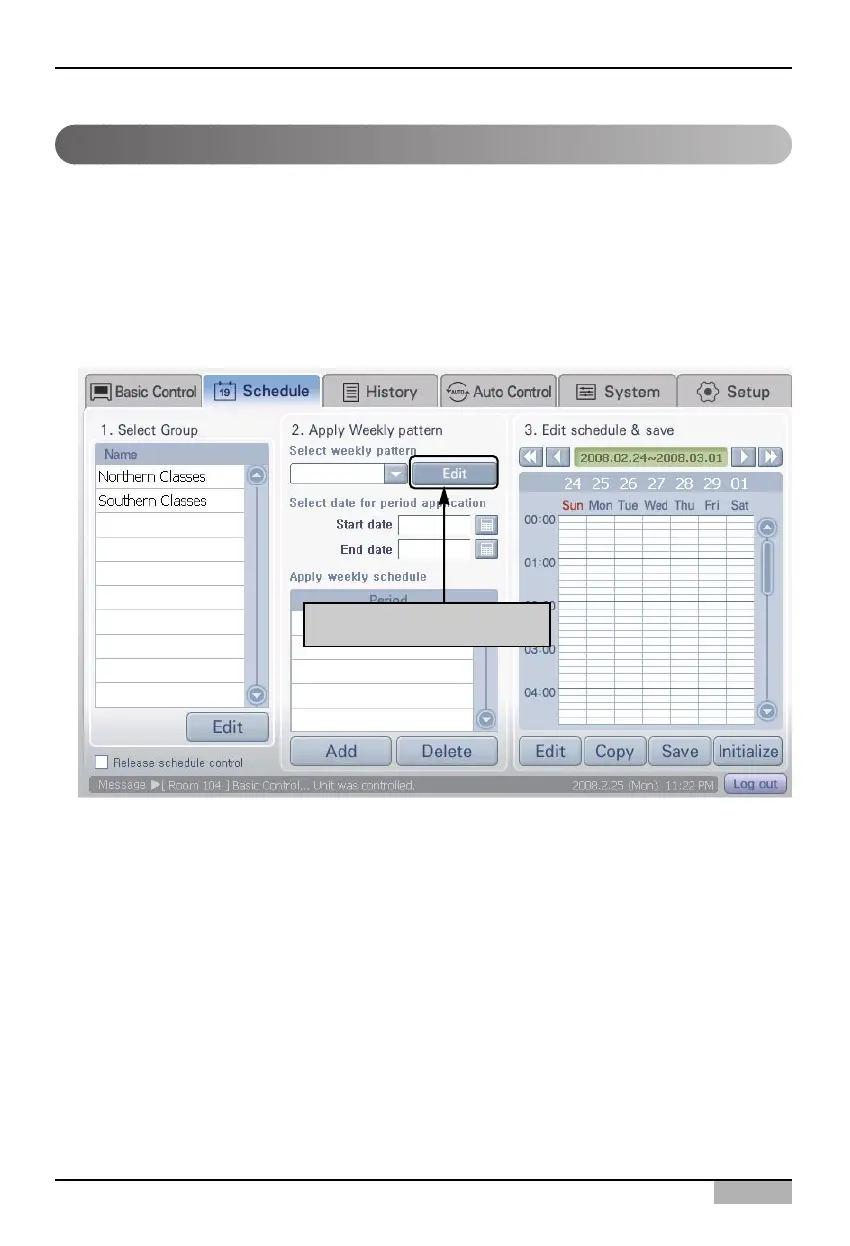
1. Select the 'Schedule' menu from the menu of AC Smart. When you select the 'Schedule' menu, the
following schedule screen is displayed. To create a schedule pattern, click on the [Edit] button
located in '2. Apply weekly pattern'.
Click on [Edit] button












 To Next Page