4. Operating AC Smart
AC Smart
4-154
Calibrating the screen
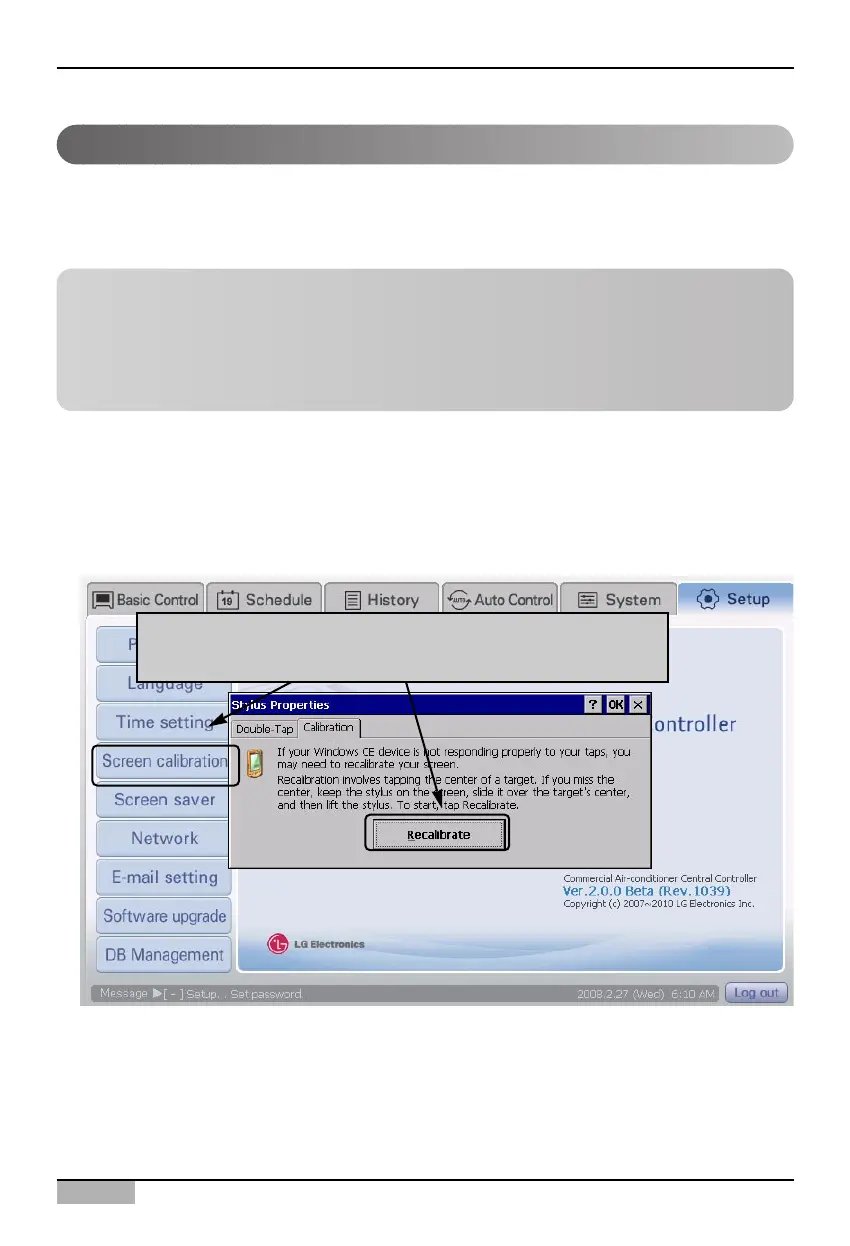
Keep the following steps to calibrate the screen of the AC Smart.
1. Select ‘Environment setting’ from the AC Smart menu. Press ‘Calibrate the screen’ menu from the
sub-menus at the left side to display ‘Stylus attribute’ screen. Press again [Re-calibrate] button.
In order to use the AC Smart, the user should set all information by the touch screen method. If the
coordinate operated by the user does not meet the coordinate displayed on the LCD panel, the
coordinate should be reset by calibrating the touch screen.
When 'Calibrate screen' menu is clicked, 'Stylus attribute'
screen is displayed. Click [Re-calibrate] button.
Information: Using the external button of the AC Smart to calibrate
the screen
The screen calibration function can be executed by pressing [Backlight] button and [Keyboard]
button at once located at the top of the AC Smart. When you cannot perform this menu because of
the incorrect screen coordinate, use this method to calibrate the screen.












 To Next Page