2. AC Smart Installation
Installation/Owner's Manual
2-18
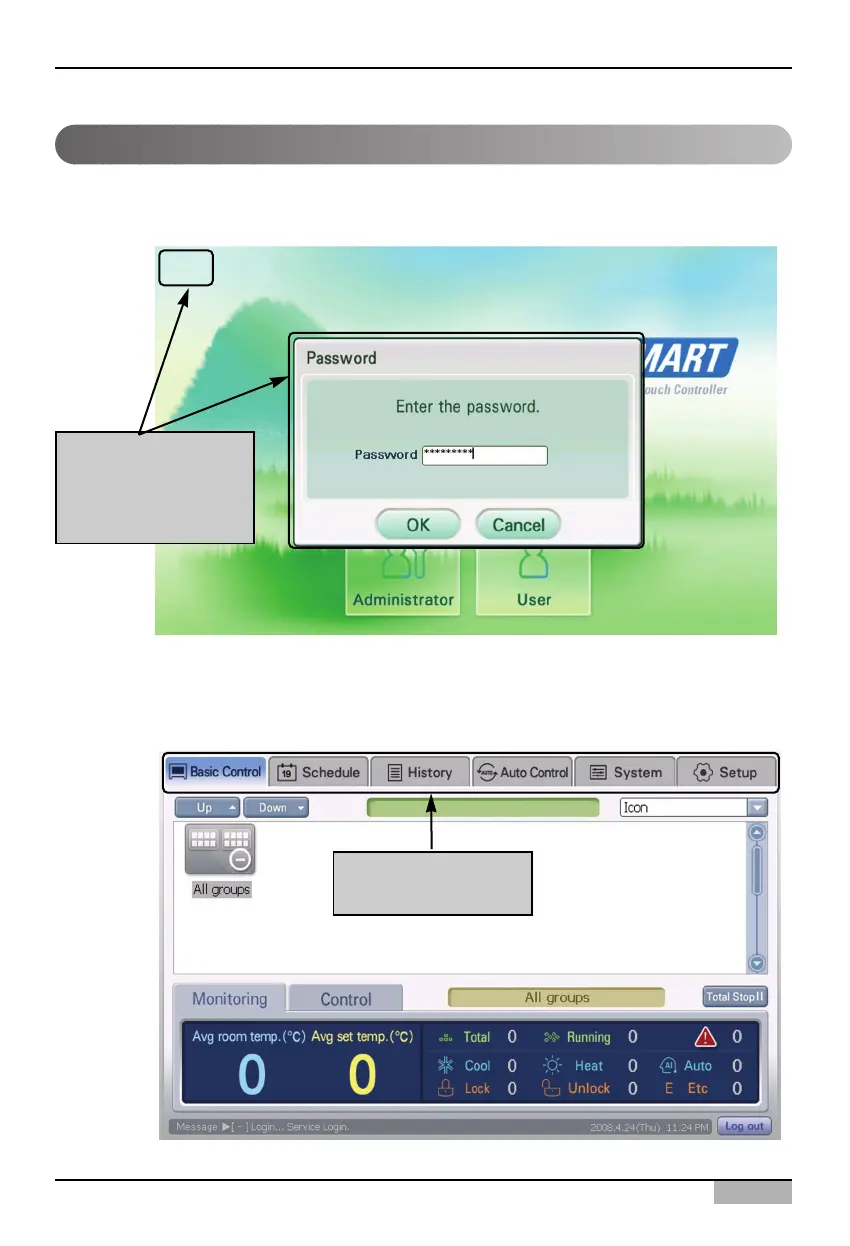
When you press and hold the top left of the log-in screen for 5 seconds, the password screen is
displayed to enter the password.
The password is ‘digital21’ which cannot be changed. When you correctly enter the password and
press [OK] button, you are logged in and can set all functions of the AC Smart.
Logging in as installation professional
Pressing and holding
here for 5 seconds to
display the input
screen
You can all functions
of the AC Smart












 To Next Page