EasyManua.ls Logo

LG AC Smart - Schedule menu

LG AC Smart
291 pages
Print Icon
To Next Page IconTo Next Page
To Previous Page IconTo Previous Page
Loading...
2. AC Smart Installation
AC Smart
2-3
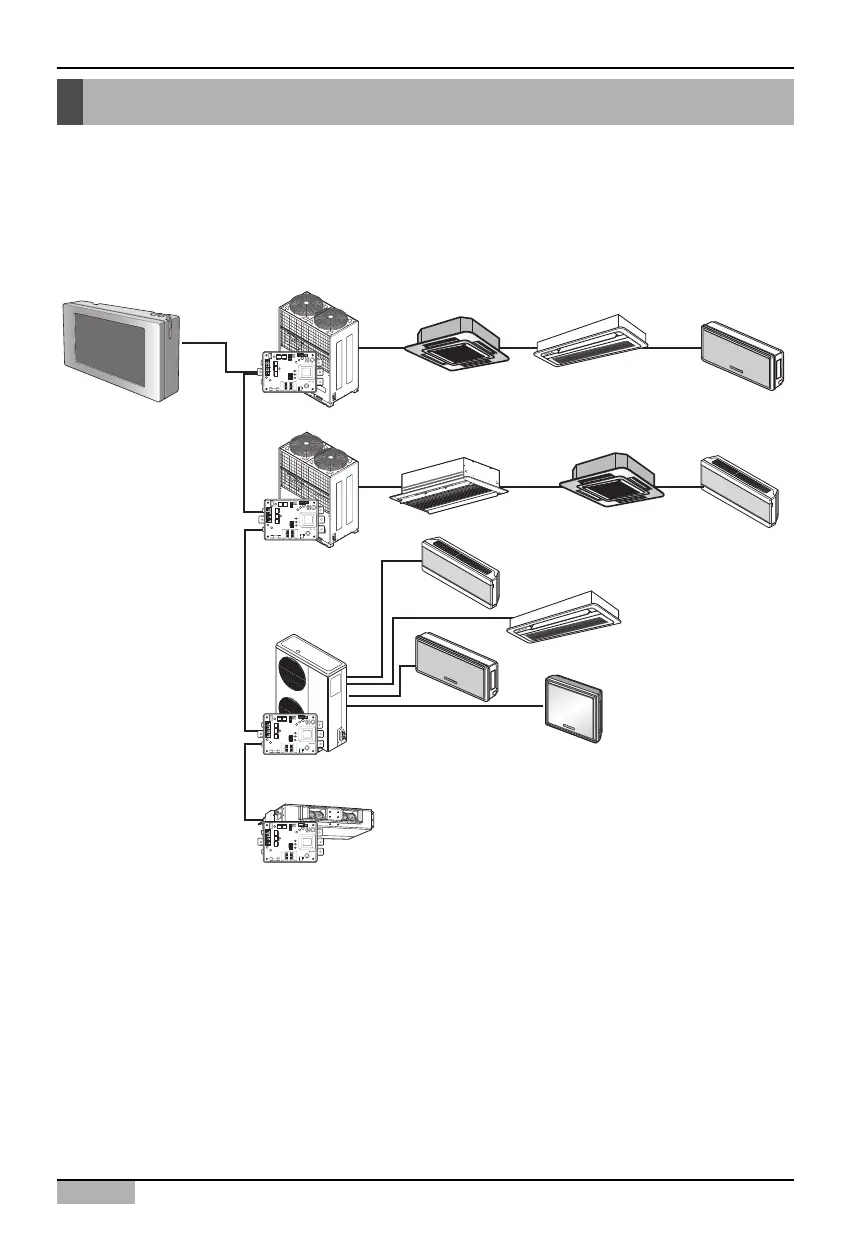
Setting unit address
First, you must assign the address to each unit so that the address of each unit (Indoor unit and
ventilator) is not duplicated by considering the overall installation composition connected to AC Smart.
The address of the unit can be set in hexadecimal from 00 to FF.
The following is an example of assigning the address to the unit.
ON
L1 2 3 4
KSDO4H
ON
L1 2 3 4
KSDO4H
Multi V
Set address Set address Set address
Set addressSet addressSet address
Set address
Set address
Set address
Set address
01 02 03
11
21
22
23
24
12 13
Multi V
AC Smart
PI485
PI485
PI485
Multi
ON
L1 2 3 4
KSDO4H
ON
L1 2 3 4
KSDO4H
PI485
Ventilator
Use the wired or wireless remote controller to set the address for each unit by the number assigned
above.

Table of Contents

Related product manuals