4. Operating AC Smart
AC Smart
4-150
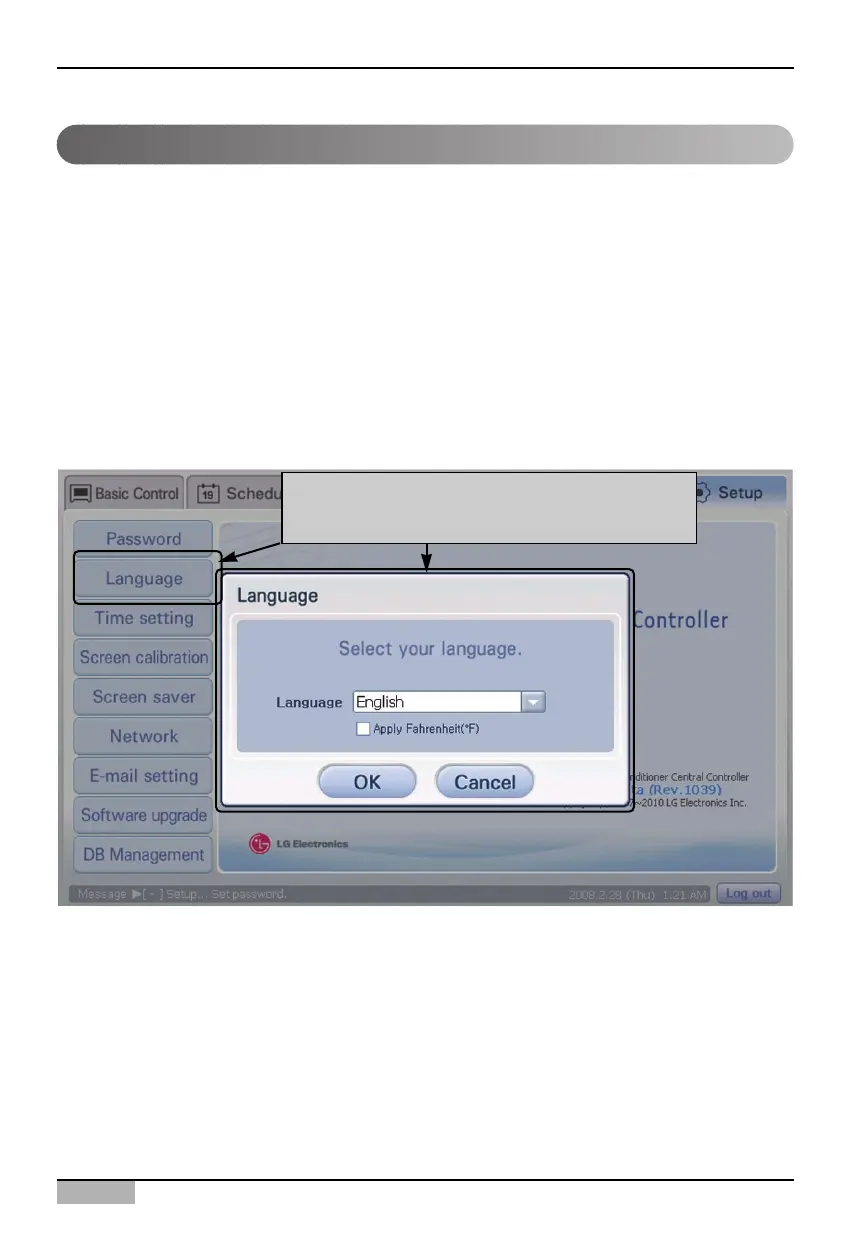
The AC Smart supports 9 languages according to the country to install.
• Korean, English, Chinese, Dutch, French, German, Italian, Russian, Spanish
When you set the supported language, all menus and messages offered at the AC Smart screen are
displayed with the language of the set country. Also, the temperature unit (Centigrade, Fahrenheit) can
be specified according to the said country.
Keep the following steps to change the language and the temperature unit displayed on the screen.
1. Select ‘Environment setting’ from the AC Smart menu. Press ‘Language’ menu from the sub-menus
at the left side. ‘Set Language’ screen is displayed for setting the language and the temperature
unit.
Setting the language by country
When 'Language' menu is clicked, 'Set the
password' screen is displayed












 To Next Page