2. AC Smart Installation
AC Smart
2-17
Log in for installation professional
When you log in as installation professional, you can set all functions related to the installation of the
AC Smart. When logged in as administrator or general user, the following menus are hidden.
• Setting the model to be locked in detail and managing the unit from the system setting menu
• Network, E-mail, S/W upgrade and DB management function from the environment setting menu
We recommend using the log-in for the installation professional only when changing the critical setting
related to the installation.
Log in for administrator
When you log in as administrator, you can all functions excepting some menus related to the
installation and the environment setting offered at the installation professional only.
Log in for general user
When you log in as general user, you can use only the ‘Control/Monitoring’ menu to monitor and
control the operation of the current air conditioner and cannot use other functions.
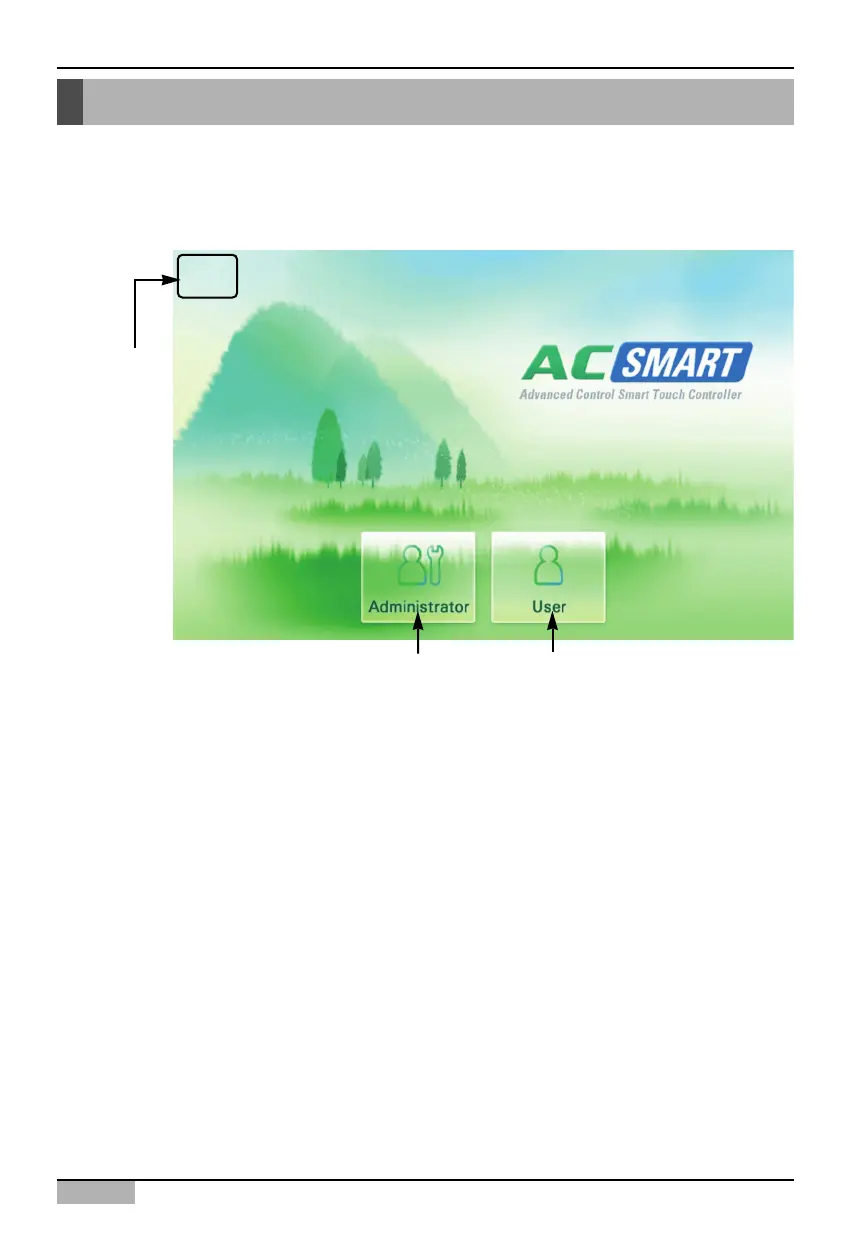
Logging in of the AC Smart
When the power is applied to the AC Smart, the AC Smart automatically operates. When the AC
Smart operates, the LG logo screen is initially displayed and then chanted to the login screen.
The AC Smart can be logged in with three method such as professional, administrator and general
user as follows:
Log in for
installation
professional
Log in for
administrator
Log in for
general user












 To Next Page