2. AC Smart Installation
AC Smart
2-21
Registering the unit
After connecting PI485 to AC Smart, you must operate AC Smart to register the unit the address has
been set to. You can register the unit in 2 methods to AC Smart.
• Automatically registering the unit
• Directly registering the unit
You can automatically search and register the unit connected to AC Smart. To automatically register
the unit, proceed in the following order.
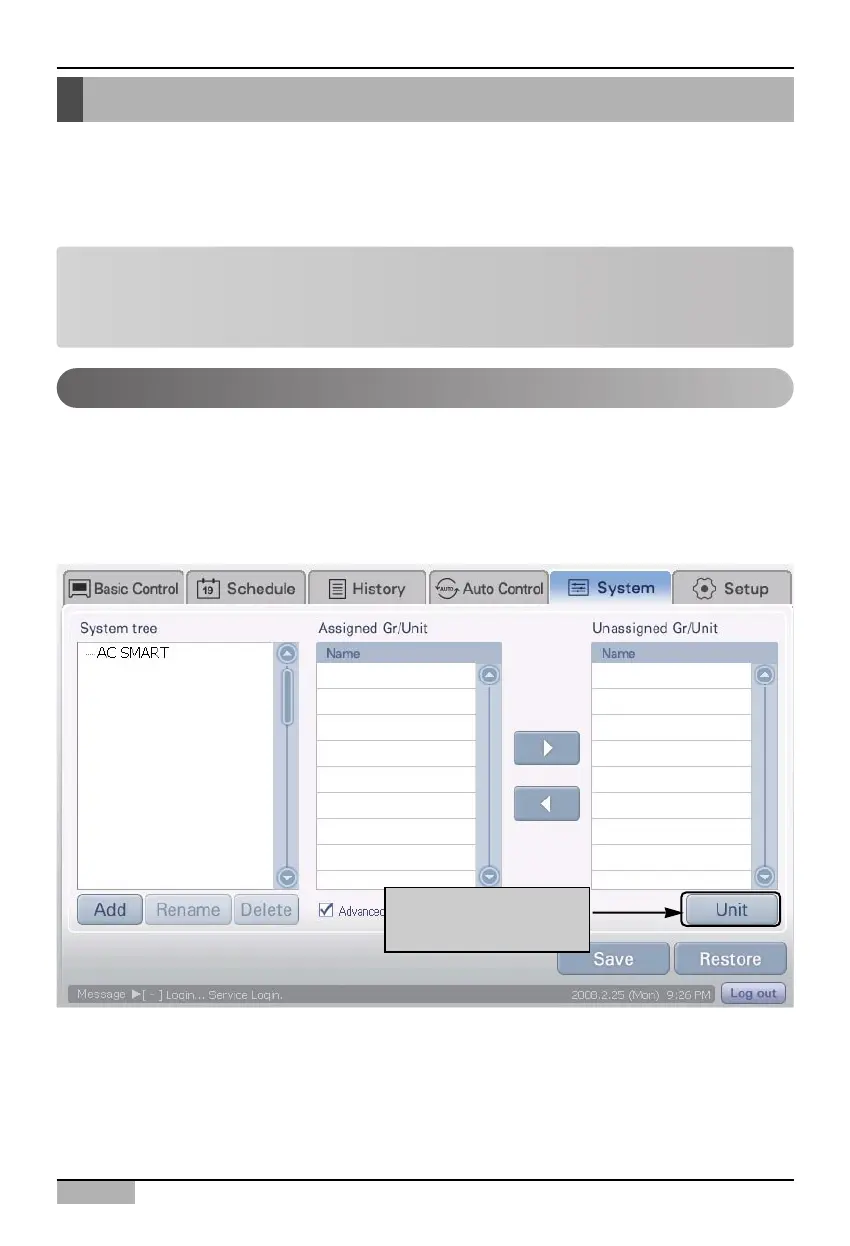
1. Select ‘System setting’ menu from the AC Smart menu.
When it is selected, the following screen is displayed.
Press [Unit] button at the right side of the screen.
Automatically registering the unit
Click on
[Unit] button
Note: Login right for registering a unit
In order to register a unit to the AC Smart, you should log in as installation professional. This menu is
not displayed on the screen when logging in as administrator or general user.
For operation of zone control, refer to the ‘Control/Monitoring’ section on page 3-1.












 To Next Page