4. Operating AC Smart
AC Smart
4-170
Backing up and restoring the database
The AC Smart can back up the critical database to the external USB memory. Also, it can also retrieve
the saved database from the external USB memory to restore.
Backing up the database
Keep the following steps to export the database to the USB memory.
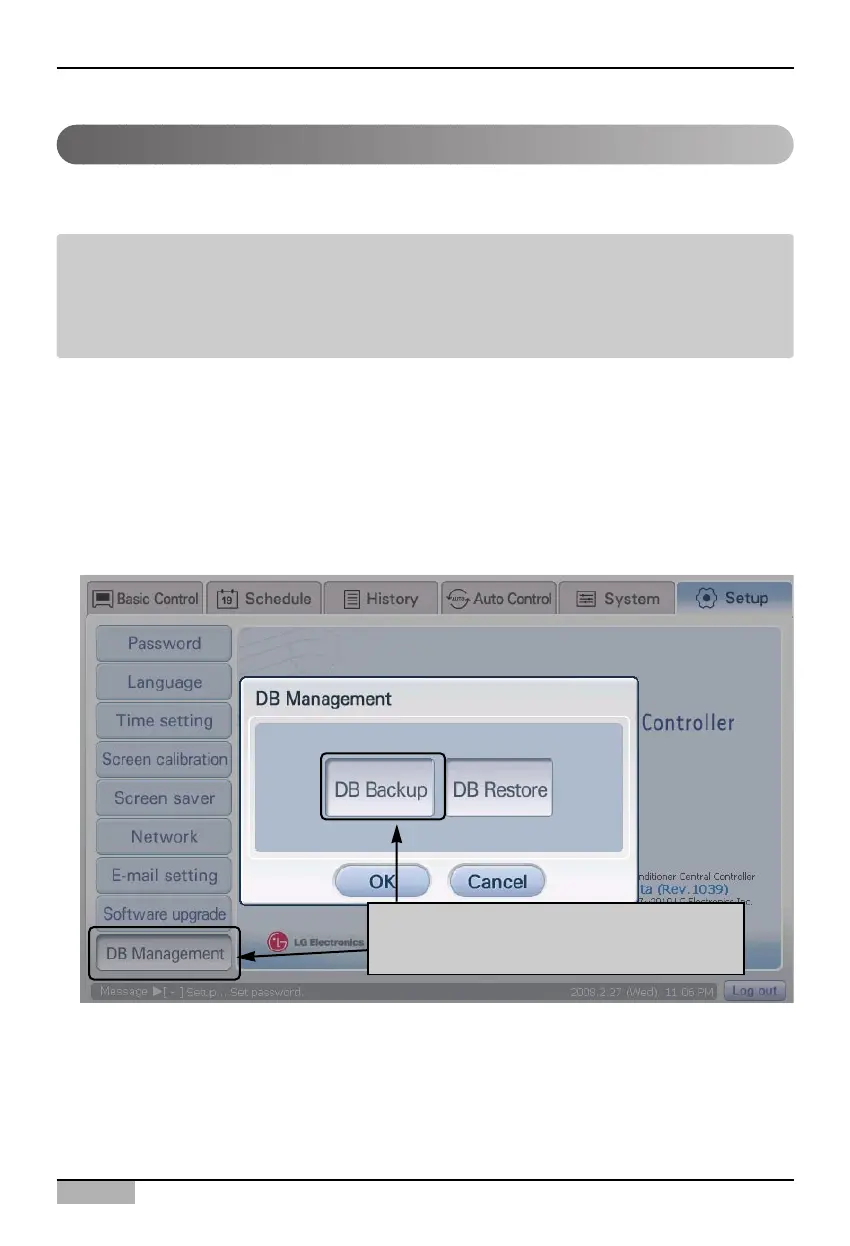
1. Select ‘Environment setting’ from the AC Smart menu. Press ‘DB management’ menu from the sub-
menus at the left side to display ‘DB management’ screen.
Click [DB backup] button to back up the database.
Note: Before backing up and restoring the database
Before backing up and restoring the database, the left USB port of the AC Smart should be
connected to the USB device containing the database.
After the database is successfully restored, the software of the AC Smart is restarted.
After selecting [DB management] menu,
click [DB backup] button












 To Next Page