4. Operating AC Smart
Installation/Owner's Manual
4-171
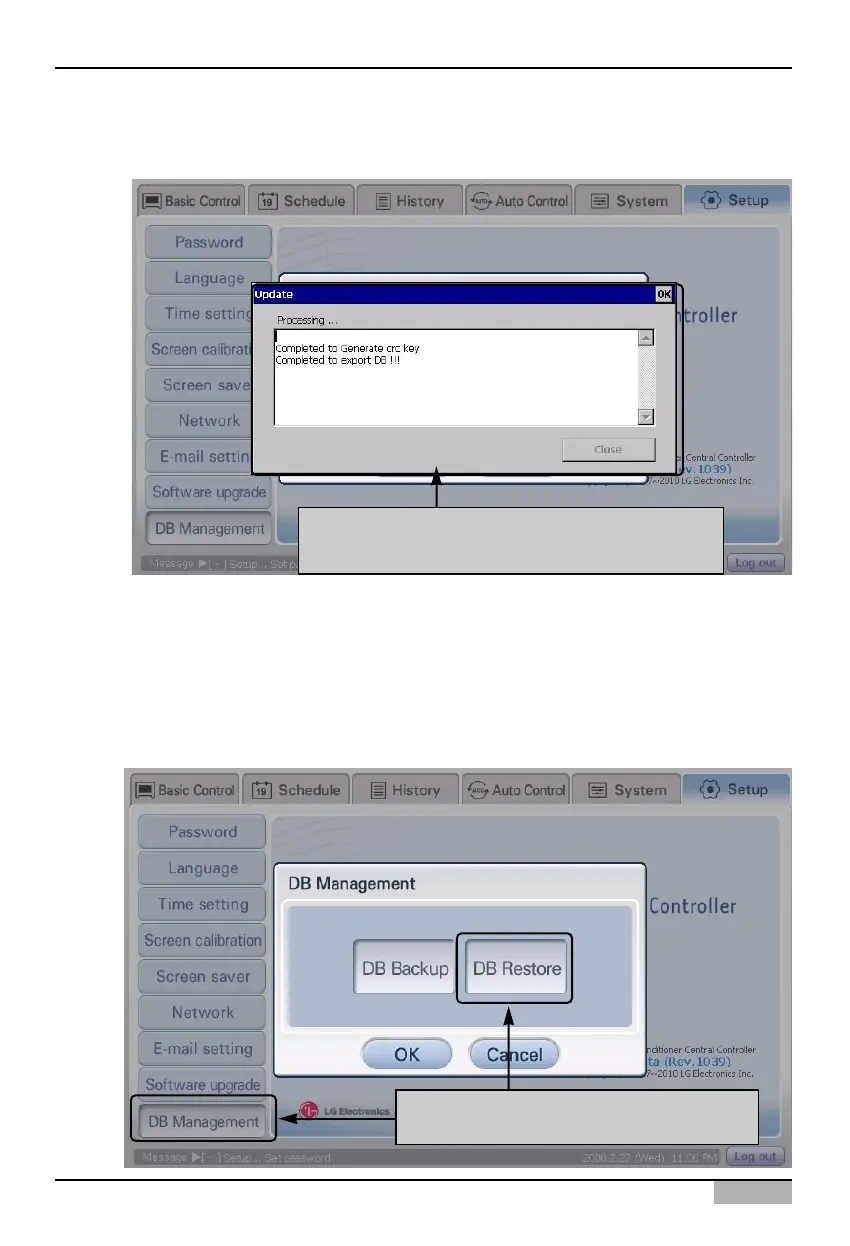
2. ‘Update’ screen is displayed for saving the database and the procedure to save the database is
automatically performed.
'Update' screen is displayed and the database
backup progress is displayed
After selecting [DB management] menu,
click [DB recovery] button
Restoring the database
Keep the following steps to import the database into the AC Smart.
1. Select ‘Environment setting’ from the AC Smart menu. Press ‘DB management’ menu from the sub-
menus at the left side to display ‘DB management’ screen.
Click [DB recovery] button to back up the database.












 To Next Page