4. Operating AC Smart
AC Smart
4-158
Setting the network information
The AC Smart can send/receive the information to/from other external systems via the network. The
network function can be set at ‘Network’ for communicating the following external systems.
• SVCNet: Send/receive the history information and the current status information of the unit
connected to the AC Smart
• PC Client: Remote client computer for monitoring and controlling the air conditioner by using the
web server function of the AC Smart
So, the network setting of the AC Smart consists of the remote service setting for the SVCNet
connection and the adapter network setting for the IP setting.
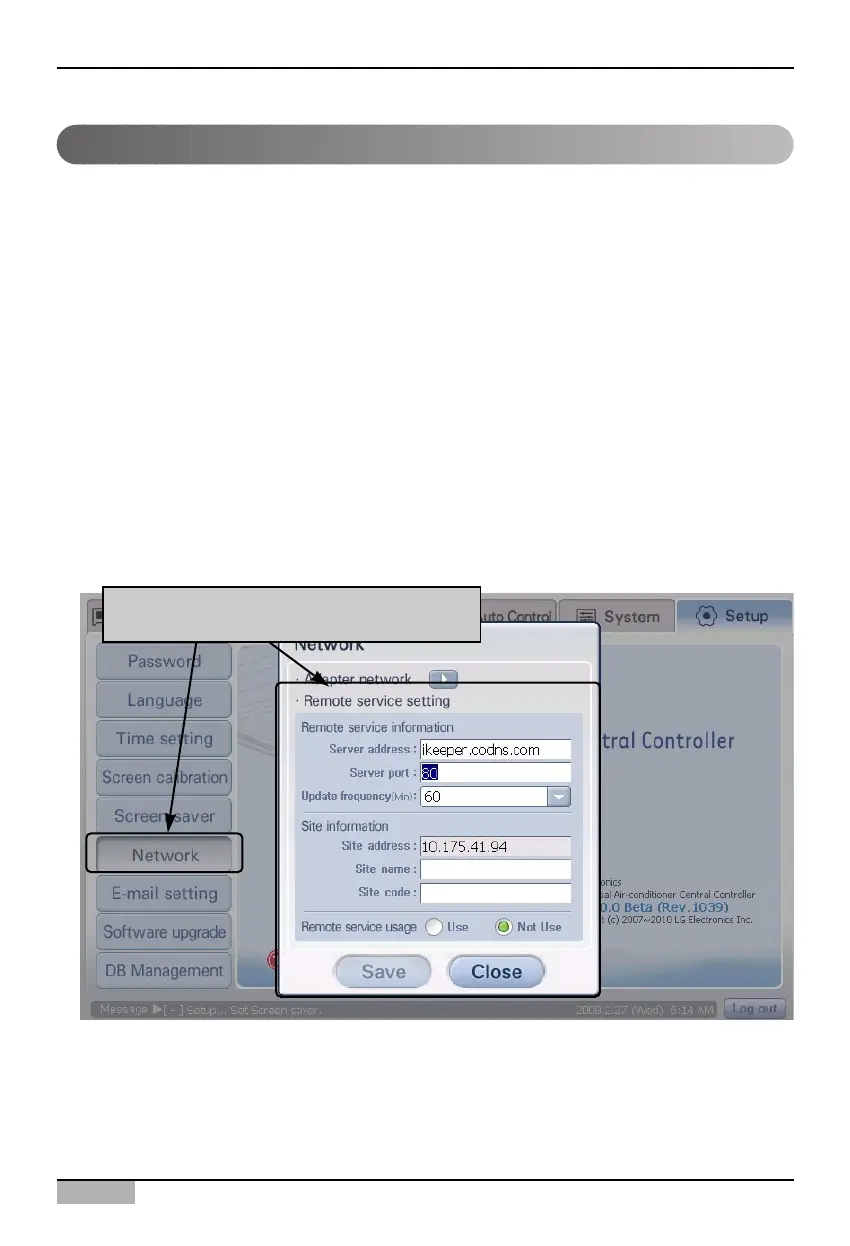
Setting the remote service
Keep the following steps to set the remote service for accessing the SVCNet.
1. Select ‘Environment setting’ from the AC Smart menu. Press ‘Environment setting’ menu from the
sub-menus at the left side. ‘Network’ screen is displayed for setting the network.
When 'Network' menu is clicked, 'Network'
screen is displayed












 To Next Page