4. Operating AC Smart
Installation/Owner's Manual
4-159
2. When you enter the information about each item and press [OK] button, it returns to the previous
screen and the setting is applied.
Refer to the following table for the detailed description for each item.
Classification Item Description
Service server address Enter the server address of the SVCNet.
Service server port Enter the server port of the SVCNet.
Update period (min)
Specify the period to update the information at the
SVCNet by minute.
Field address Enter the IP address set at the current AC Smart.
Field name
Enter the information about the location where the
current AC Smart is installed.
Field code The code given for managing the field
-
Select whether to use the function for sending the
information of the AC Smart to the SVCNet.
Remote service
information
Field information
Set to use the
remote service
Adapter network setting
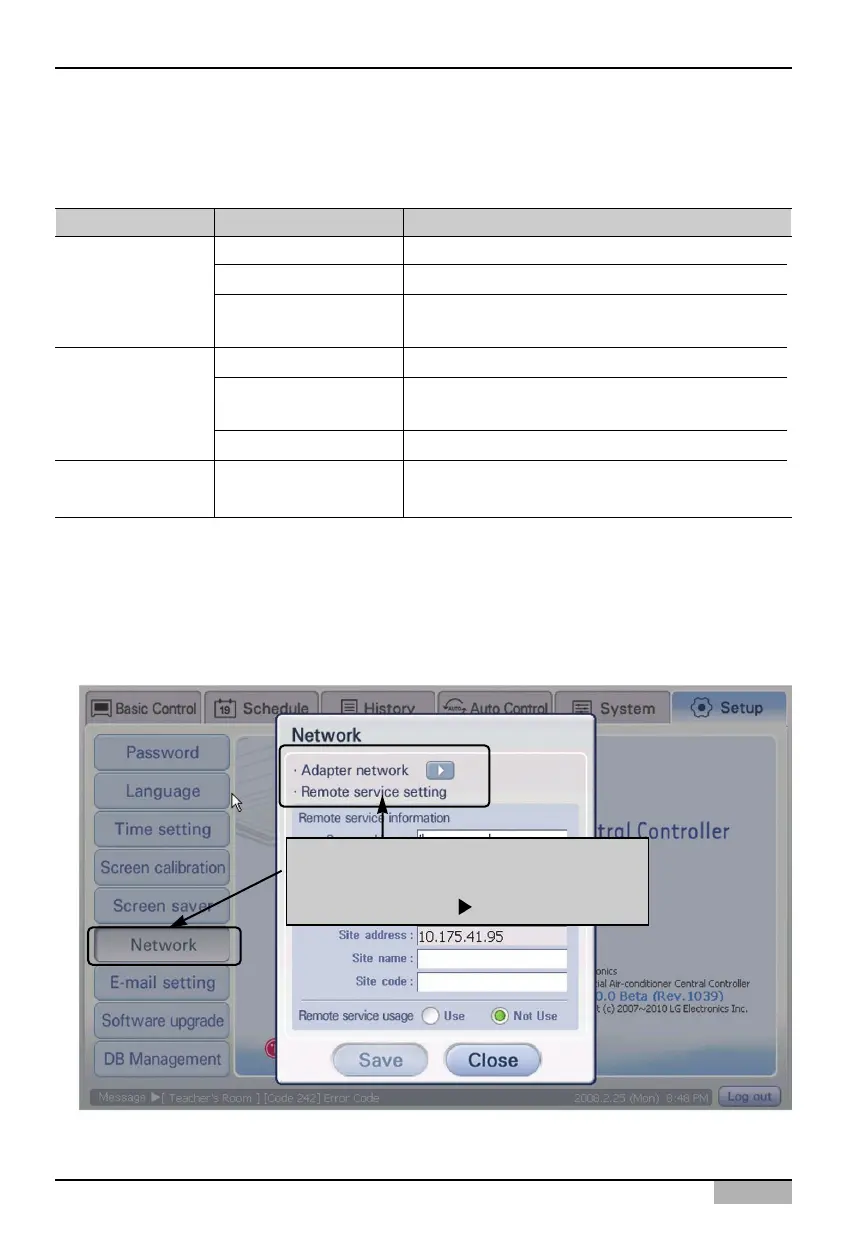
1. Select ‘Environment setting’ from the AC Smart menu. Press ‘Network’ menu from the sub-menus
at the left side. ‘Network’ screen is displayed for setting the network. Click [Ñ] button next to
‘Adapter network setting’.
When 'Network' menu is clicked, 'Network'
screen is displayed.
Click [ ] button












 To Next Page