2. AC Smart Installation
Installation/Owner's Manual
2-4
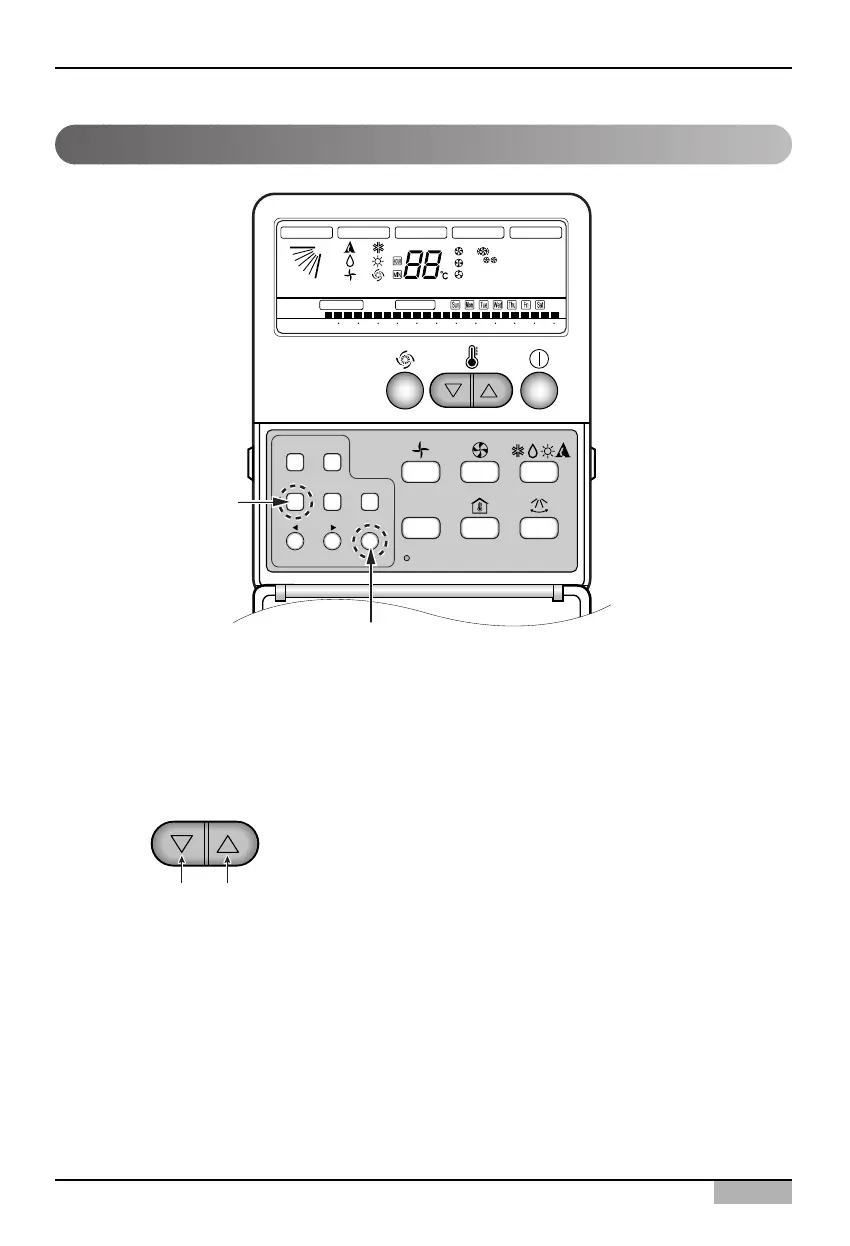
1. Press Week Program & Set/Clr keys at the same time.
2. Set the indoor unit address using the temperature controller.
Allowed Range : 00-FF
3. Complete the address setting to press the week Program & Set/Clr keys at the same time for 3
seconds.
❈ Some remote controllers may not be suported by above functions, a coording to the production
date of wired/wireless remote conrollers. As it has no concem with customers' use, use the remote
controller available for the address setting during installation.
Setting address with wired remote controller












 To Next Page