3. AC Smart Menu
AC Smart
3-24
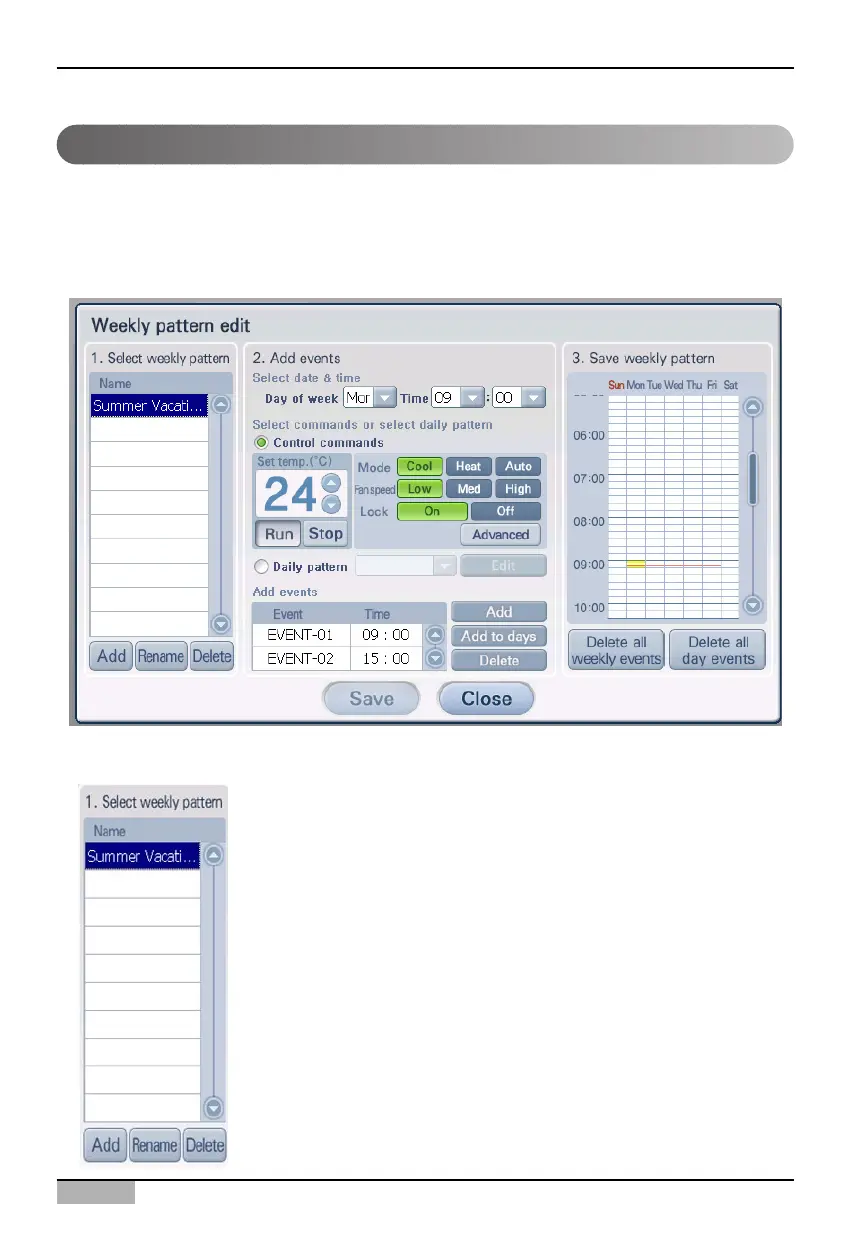
Edit weekly pattern screen
'Edit weekly pattern' screen is the screen displayed when you press the [Edit] button from '2-1. Select
weekly pattern' from the main screen of schedule.
From the 'Edit weekly pattern' screen, you can create the weekly pattern and set the operation event
and time for each pattern. Also you can switch to the screen to create the daily pattern.
1. Select weekly pattern
In '1. Select weekly pattern', you can add new weekly pattern and
delete or rename the existing weekly pattern.
In the list you can check the list of weekly patterns currently setup.
At the bottom of '1. Select weekly pattern', there are 3 following
buttons.












 To Next Page