4. Operating AC Smart
Installation/Owner's Manual
4-59
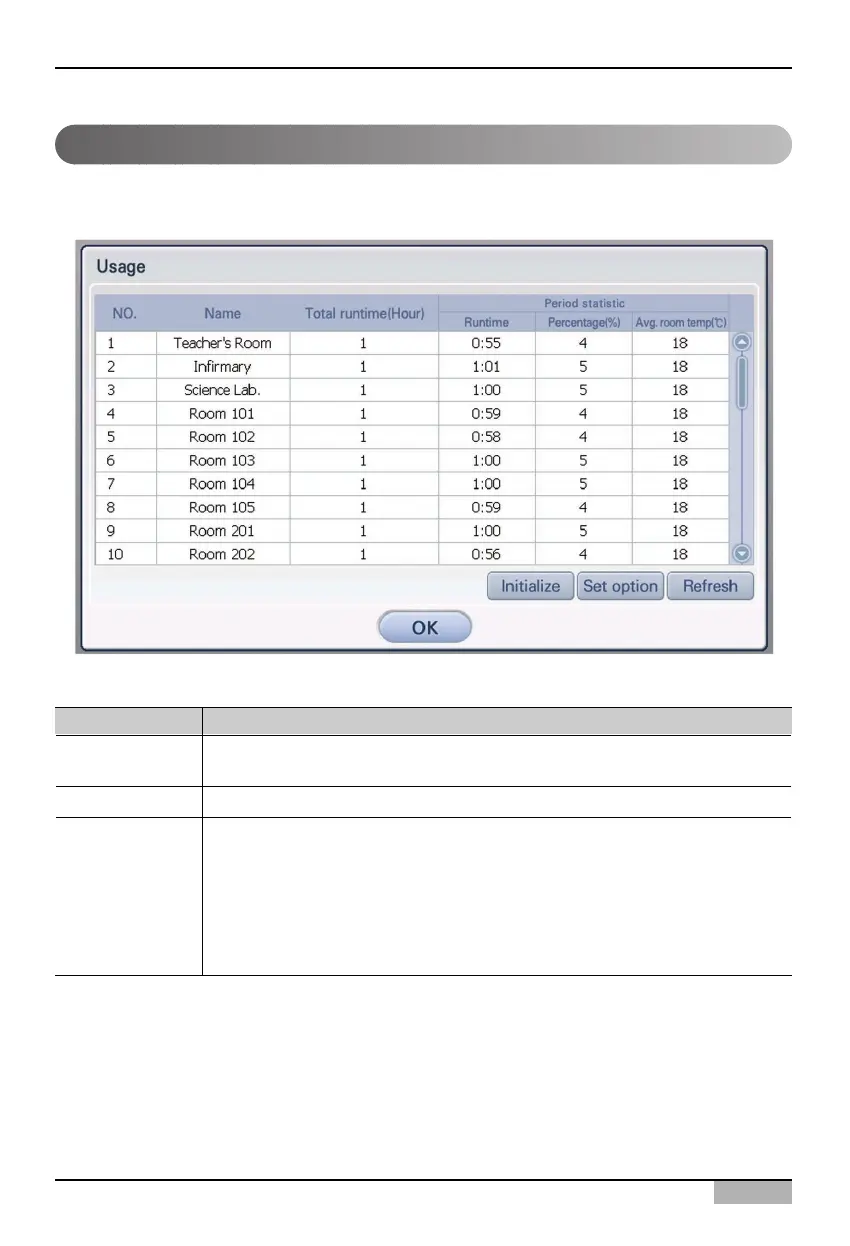
You can check the running time and the average time information of the air conditioner and the
ventilator. When you click [Usage view] button at the History menu, the following screen is displayed.
The following information about the usage is displayed with the table type.
Usage view
Item Description
Name
Total running time
Periodical statistics
Name of object to view the usage. It is displayed by zone, group or unit according
to the Set Condition.
Total running time of the viewed object.
Running time, percentage and average indoor temperature for a specific period
are displayed according to the Set Condition.
• Running time : Running time for a specific period.
• Percentage : The percentage is displayed by calculating the total running
time and the running time for a specific period.
• Average indoor temperature : Average indoor temperature maintained for a
specific period.



 To Next Page