4. Operating AC Smart
AC Smart
4-60
The condition for the periodical statistics of the Usage view screen can be set by pressing [Set
Condition] button. Follow the following steps to view the usage information by period and type.
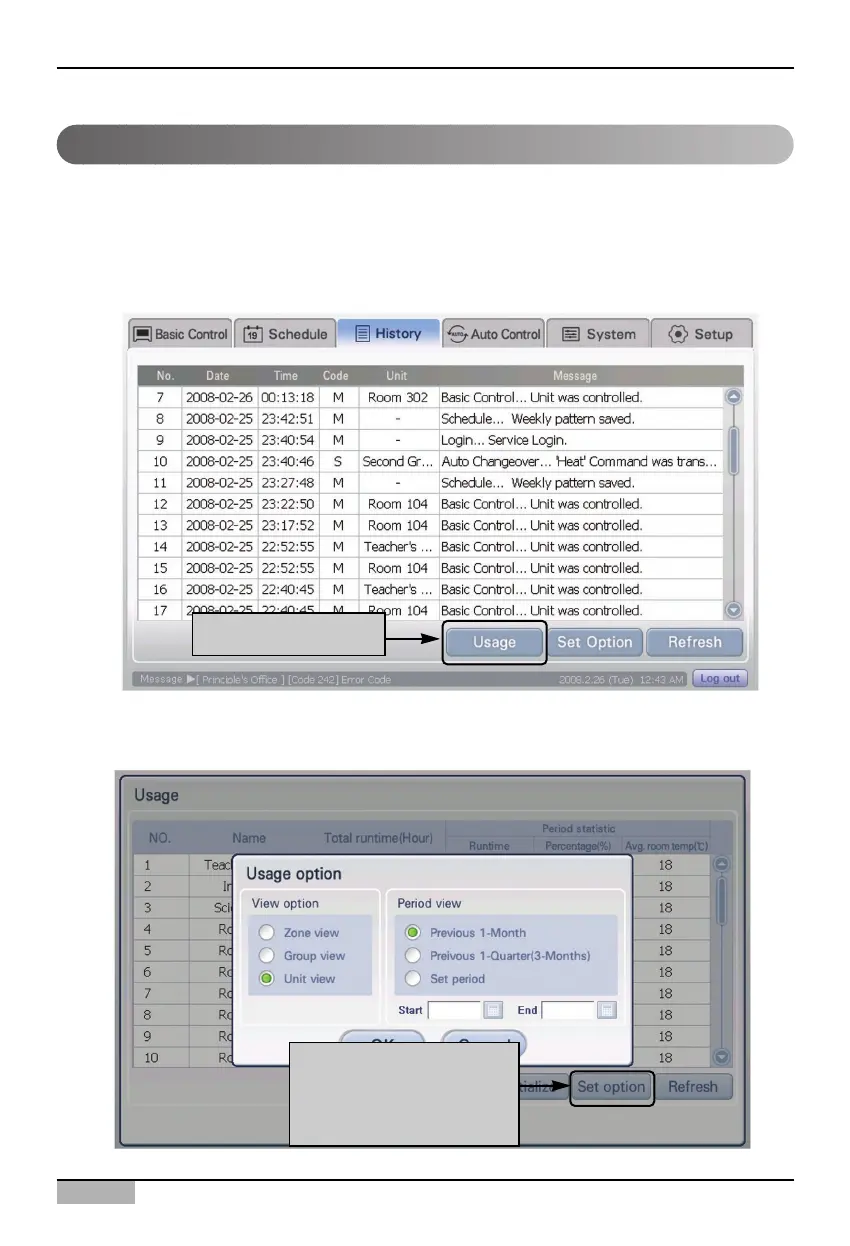
1. Select ‘History’ menu from the AC Smart menu. When ‘History’ menu is displayed, the following
history screen is displayed. Press [Usage view] button.
2. When ‘Usage view’ screen is displayed, press [Set Condition] button. ‘Usage view condition’
screen is displayed for setting the unit and the period to view.
Setting the usage for a specific period
Click [Usage] button
When [Set Option] button
is clicked, 'Usage view
condition' screen is
displayed



 To Next Page