4. Operating AC Smart
AC Smart
4-172
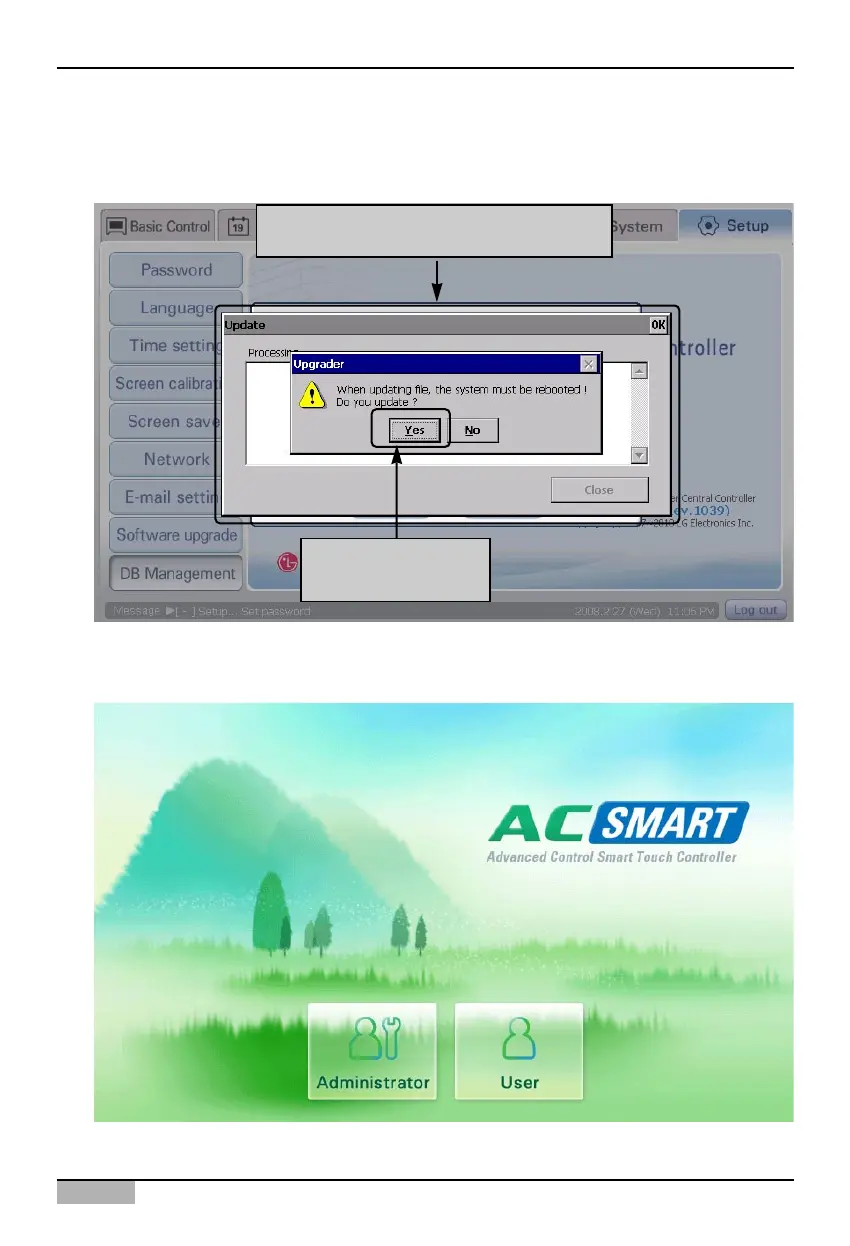
2. ‘Update’ screen is displayed for importing the database and ‘Upgrader’ screen is also displayed for
confirming to restart the system. When you press [Yes] button, ‘Upgrader’ screen is exited and then
the procedure to import the database is automatically performed.
3. When the database is successfully restored, the AC Smart program is restarted and the Login
screen is displayed.
Click [Yes] button to
upgrade the software
'Update' screen and 'Upgrader' screen
are displayed












 To Next Page