2. AC Smart Installation
Installation/Owner's Manual
2-16
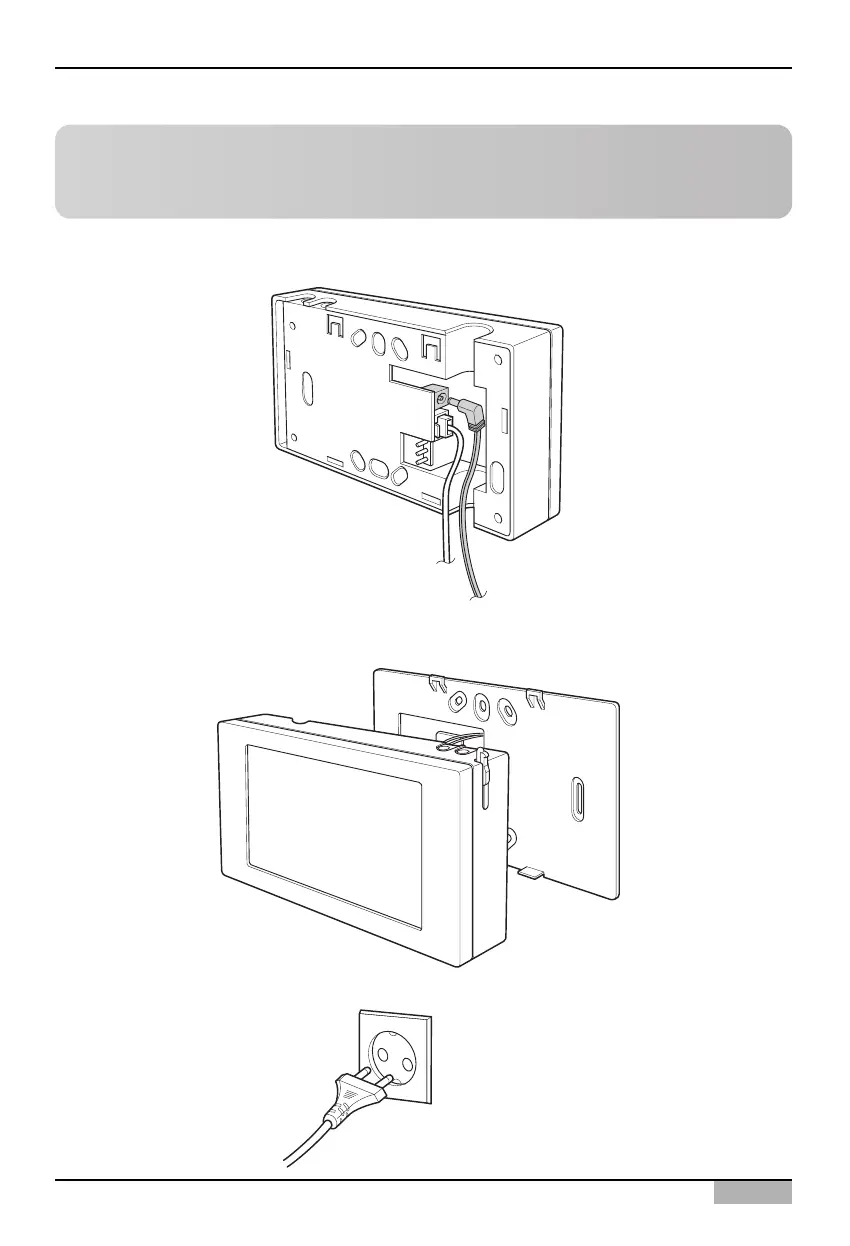
6. Assemble the main unit of AC Smart on the rear penal installed on the wall. After hanging the top
holes of the top of the main unit to the top of the rear panel, push forward and slide in the bottom of
the main unit.
7. Connect the power cord of the power adapter to the power outlet.
Reference: UTP cable connection
Currently there is no function provided by connecting to the UTP cable. In the future, connect only
when necessary for function related to the Internet.
5. Connect the power adapter to the power terminal located at the rear side of the main unit of AC
Smart.












 To Next Page