4. Operating AC Smart
Installation/Owner's Manual
4-87
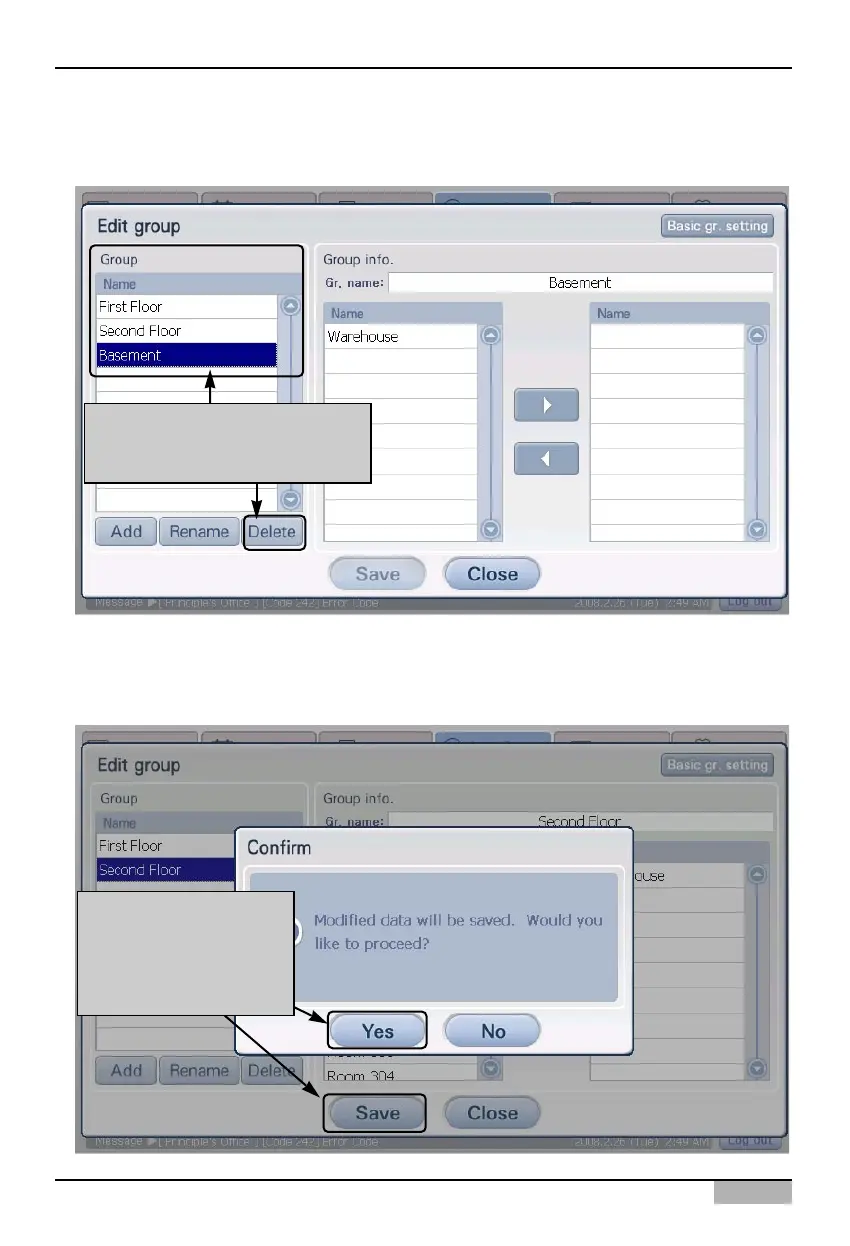
3. 'Edit group' screen is displayed. Select the auto change over operation group to delete and click on
the [Delete] button. Applicable group is deleted.
4. Check whether the auto power operation group is deleted from the 'Group', and click on the [Save]
button to save the current setting. When the 'Information' screen to check the saving process is
displayed, click on the [Yes] button.
After selecting the auto change
over operation group to delete,
click on [Delete] button
After clicking on [Save]
button, when the
'Information' screen is
displayed, click on [Yes]
button












 To Next Page