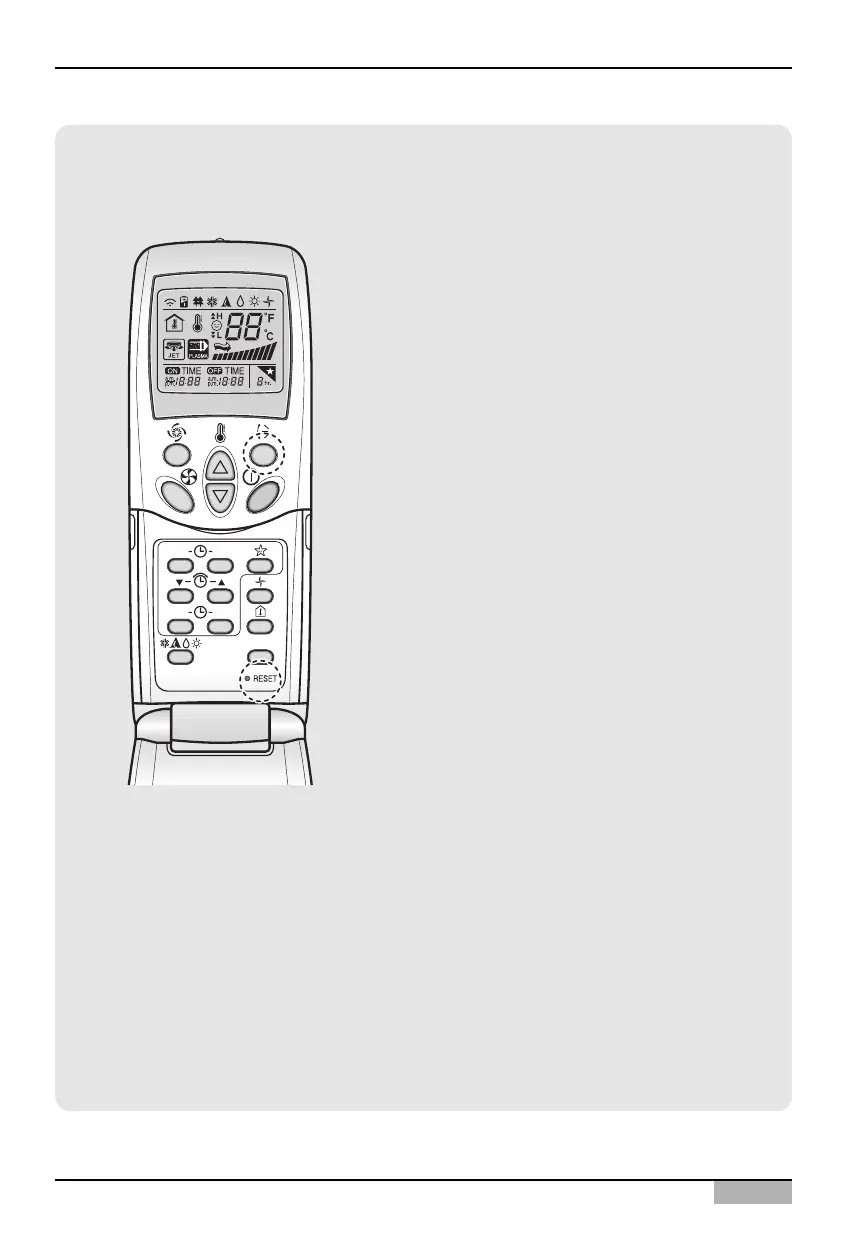
Information: Checking the set address
You can check the set address by using the
wireless remote controller. To check the set
address, proceed as follows.
1. With the [Wind Up/Down] button pressed,
press the [RESET] button. The [Wind
Up/Down] button must be pressed for more
than 3 seconds.
2. Press the [Operate/Stop] button once toward
the indoor unit. The set address will be shown
on the display part of the indoor unit. The
address display time and method can differ by
the type of indoor unit.
3. Reset the remote controller again to use it in
general operation mode.



 To Next Page