4. Operating AC Smart
Installation/Owner's Manual
4-93
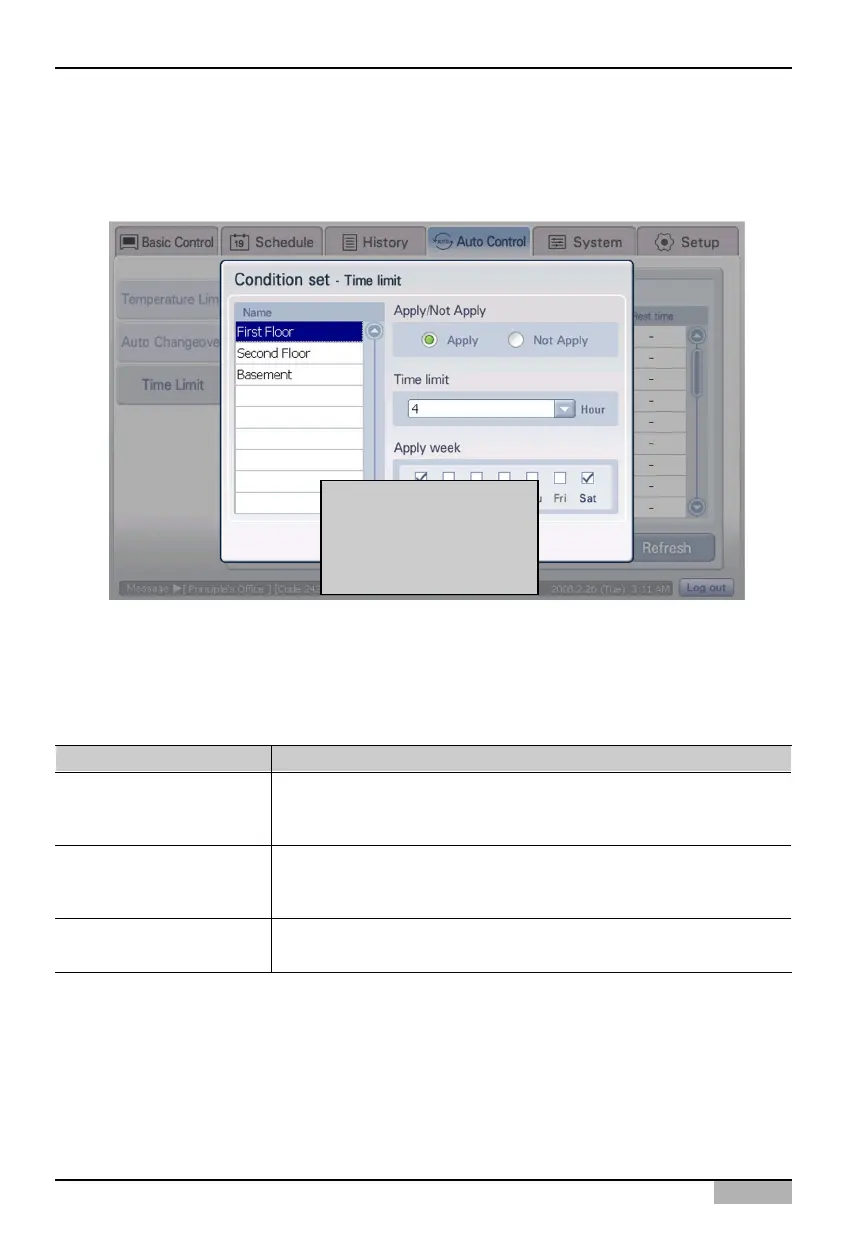
2. When ‘Time-limited running’ screen is displayed, click [Set Condition] button to set the time-limited
running.
‘Set Condition’ screen is displayed. Select the group to set the time-limited running.
3. Set each item of ‘Set Condition’ screen. Refer to the following table for the detailed description
about the item to set.
When [Set Condition]
button is clicked, 'Set
Condition' screen is
displayed.
Item Description
Apply/No apply
Time limit
Apply week
Set whether to perform the time-limited running or not.
- Apply: Perform the time-limited running.
- No apply: The time-limited running is not performed.
Set the time (1~4 hours) to limit the running of the time-limited running
group. The time-limited running group is run for the set time and then
automatically ended.
Select the weekday to perform the time-limited running. It can be set
from Monday to Sunday, and more than one weekday can be selected.












 To Next Page