4. Operating AC Smart
Installation/Owner's Manual
4-97
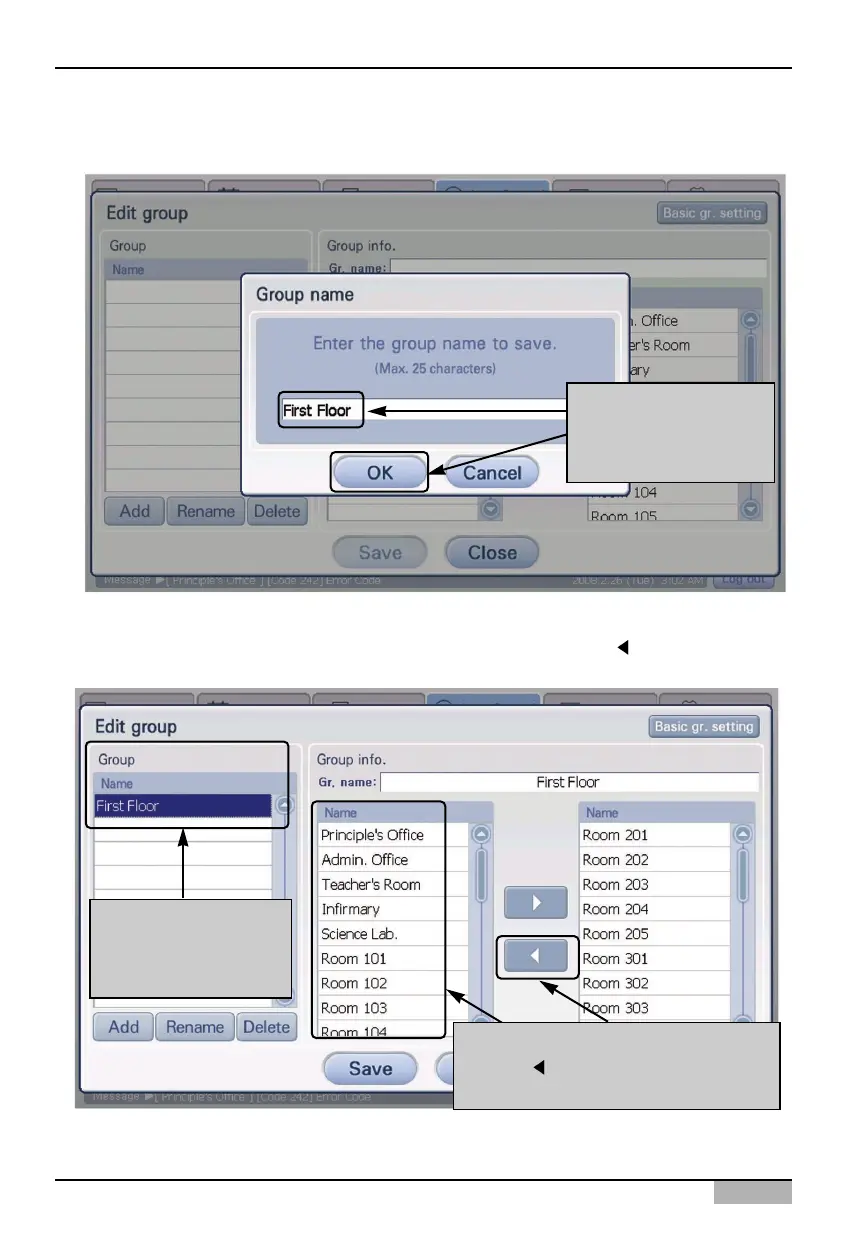
4. Enter the name of the time-limited running group to create, and press [Confirm] button.
5. Make sure that the said time-limited running group is created at ‘Group’. And, select the unit to be
included to the created group from the unit light at the right side, and click [
] button to include it
to the group.
After entering the
group name, click
[Confirm] button
After selecting the unit from the list,
press [ ] button to include to the
schedule group
Make sure that the
time-limited running
group is created












 To Next Page