2. AC Smart Installation
Installation/Owner's Manual
2-8
Reference: PCB part #
MPS static speed applied product with common PCB applied must have the PCB part # as shown
as follows.
• PCB P/NO. : 6871A20910A ~ Z
• PCB P/NO. : 6871A20917A ~ Z
• PCB P/NO. : 6871A20918A ~ Z
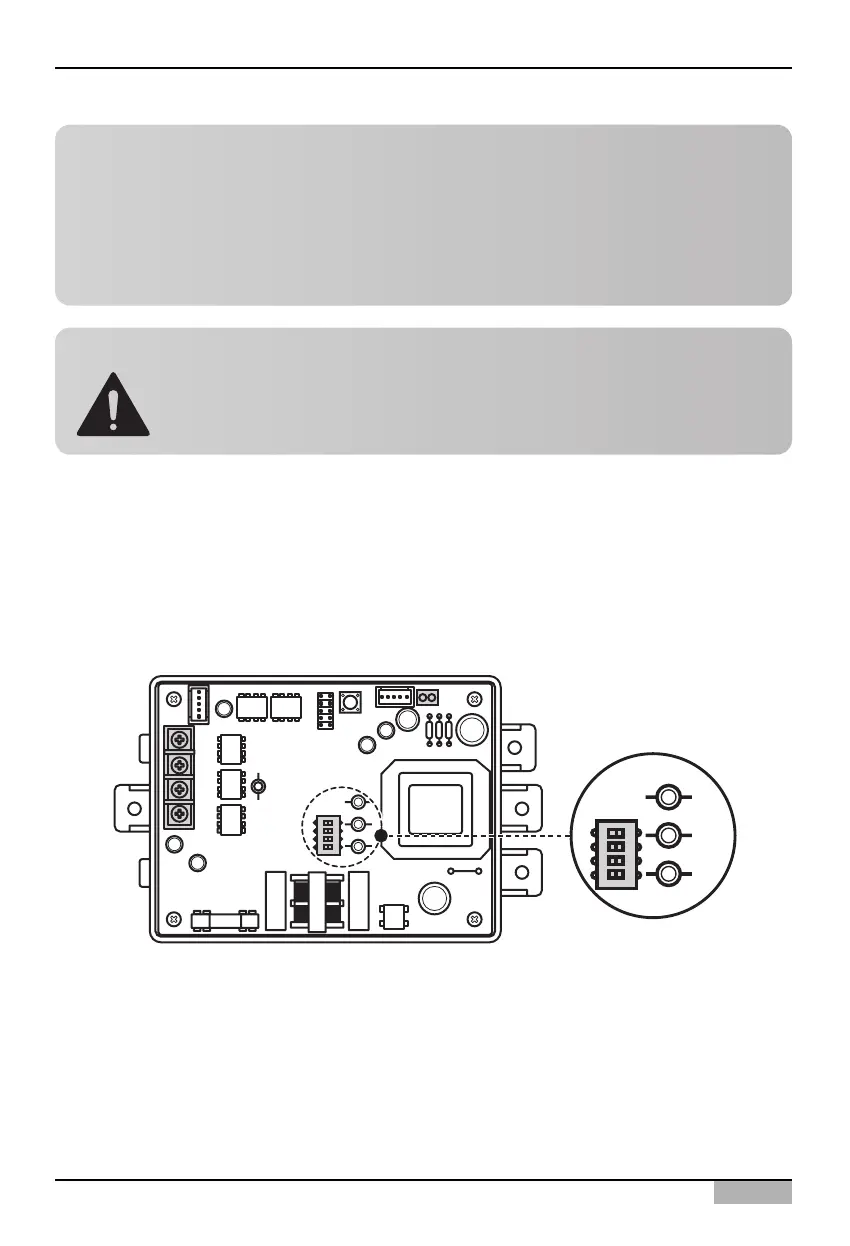
Caution: PI485 DIP switch setting
When the air conditioner selection switch setting is incorrect, the air conditioner can
malfunction.
Refer to PI485 (M) manual for detail installation method of PI485.
Information: Checking PI485 DIP switch setting
You can check whether the indoor unit address setting and the DIP switch setting of PI485 have been
set correctly as follows.
• LED01G will flash for as many as the connected number of indoor units.
• LED02G and LED03G will flash in switching back and forth. (When connecting LRA/CRUN
product, LED02G can blink more than LED03G).
When the LED is abnormal unlike the above description, recheck the address setting of the indoor unit
and DIP switch setting.












 To Next Page