4. Operating AC Smart
AC Smart
4-122
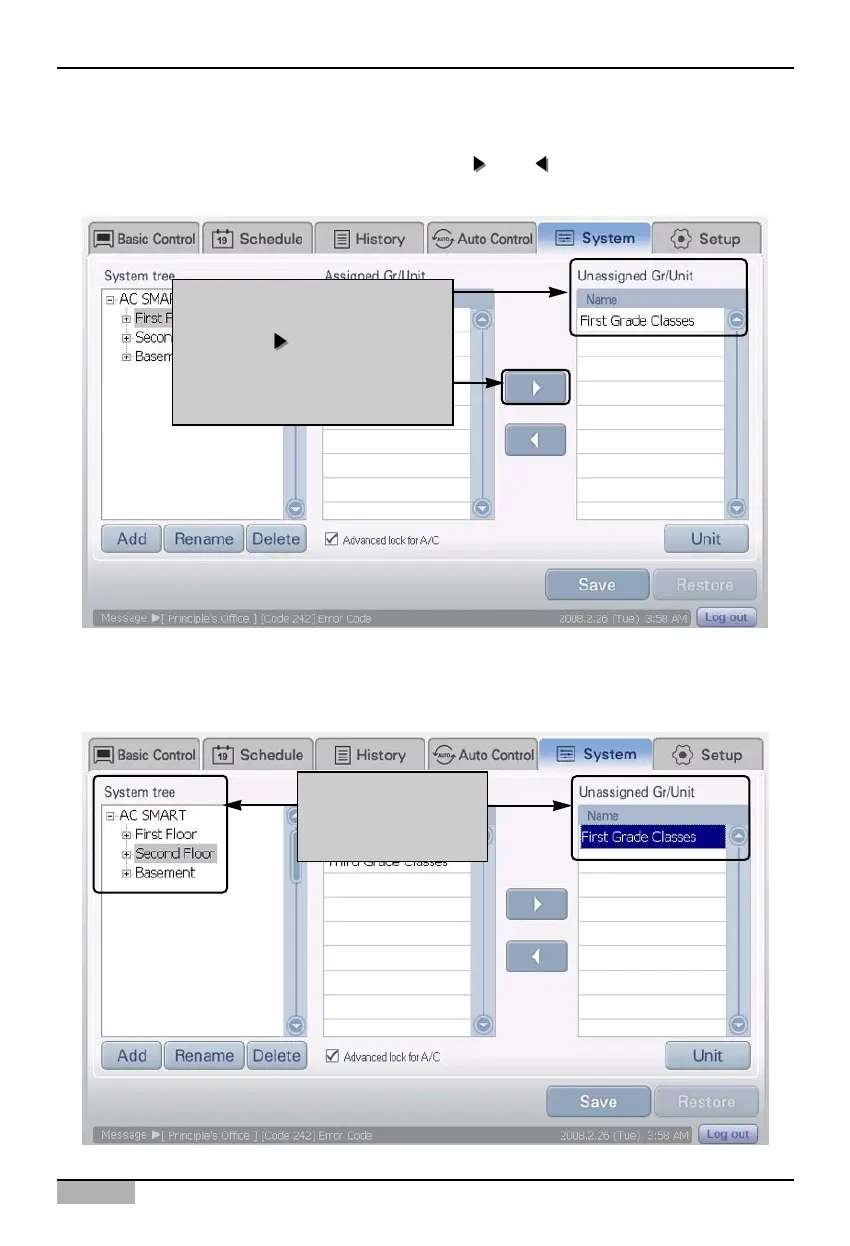
2. Reset the group. 'Registered unit' displays group current zone is included and 'Unregistered unit'
includes the group not assigned to any zone. Use the [
] and [ ] button to include or delete the
group.
3. Select the zone to include the excluded group. 'Registered unit' displays the group including the
applicable zone. Select the excluded group.
Exclude group by clicking on
[ ]
button.
and excluded group is
displayed in "Unregistered unit"
After selecting zone,
select group to
include












 To Next Page