4. Operating AC Smart
Installation/Owner's Manual
4-125
Creating new group
To create a new group, proceed in the following order.
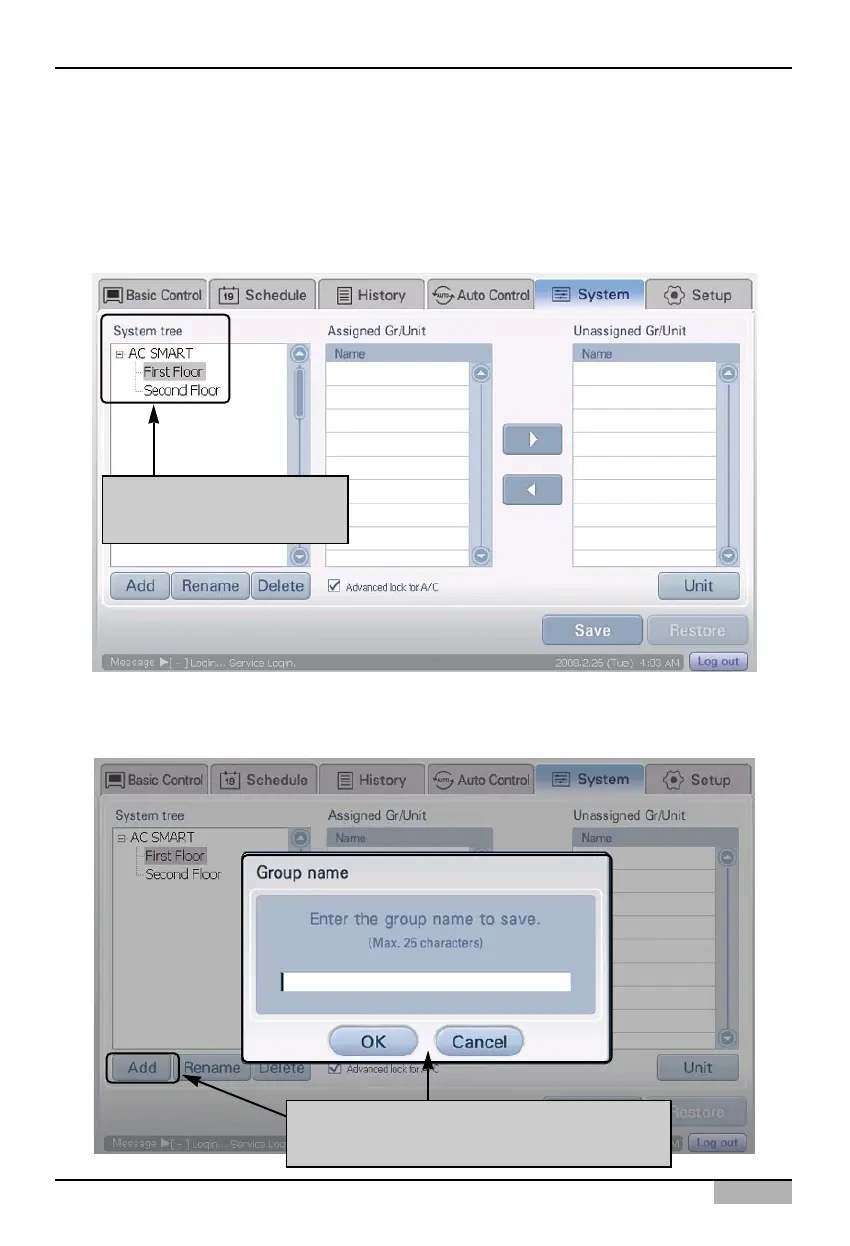
1. Select the 'Setting' menu from the menu of AC Smart. When you select the 'Setting' menu, the
following screen is displayed. Select the zone to include the new group to from the 'System tree'.
2. Click on [Add] button in system tree screen. 'Group name' screen to enter the name of the group to
create is displayed.
Select zone to include
newly created group
When you click on [Add] button "Group
name" screen is displayed












 To Next Page