4. Operating AC Smart
Installation/Owner's Manual
4-137
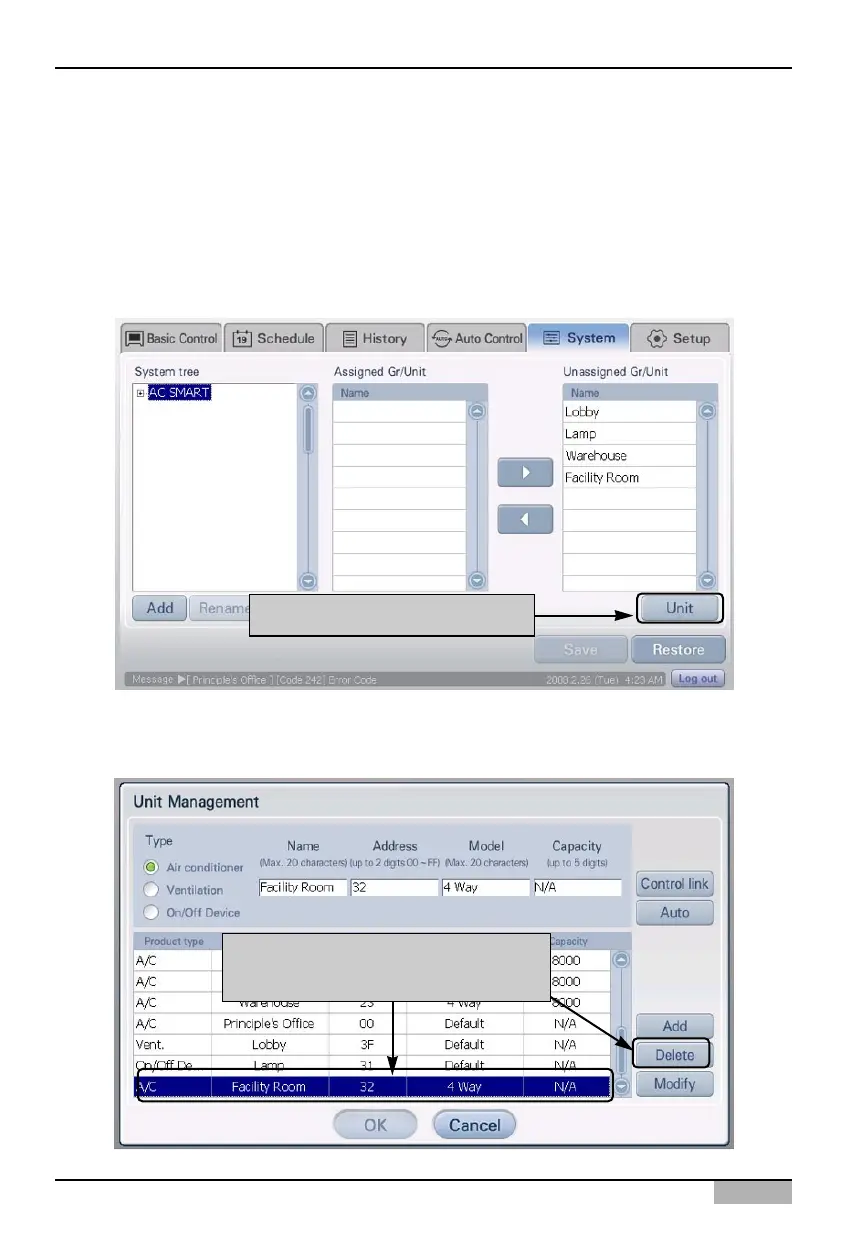
Deleting registered unit
You can delete the unit information connected and registered to AC Smart. To delete the unit
information, proceed in the following order.
1. Select the 'Setting' menu from the menu of AC Smart. When you select the 'Setting' menu, the
following screen is displayed. Click on the [Register unit] button located on the right side of the
screen.
2. 'Edit unit' screen is displayed. Select the unit to delete from the registered unit list and click on the
[Delete] button. The applicable unit will be deleted.
Click on [Register unit] button
After selecting the unit to delete,
click on the [Delete] button












 To Next Page