4. Operating AC Smart
AC Smart
4-166
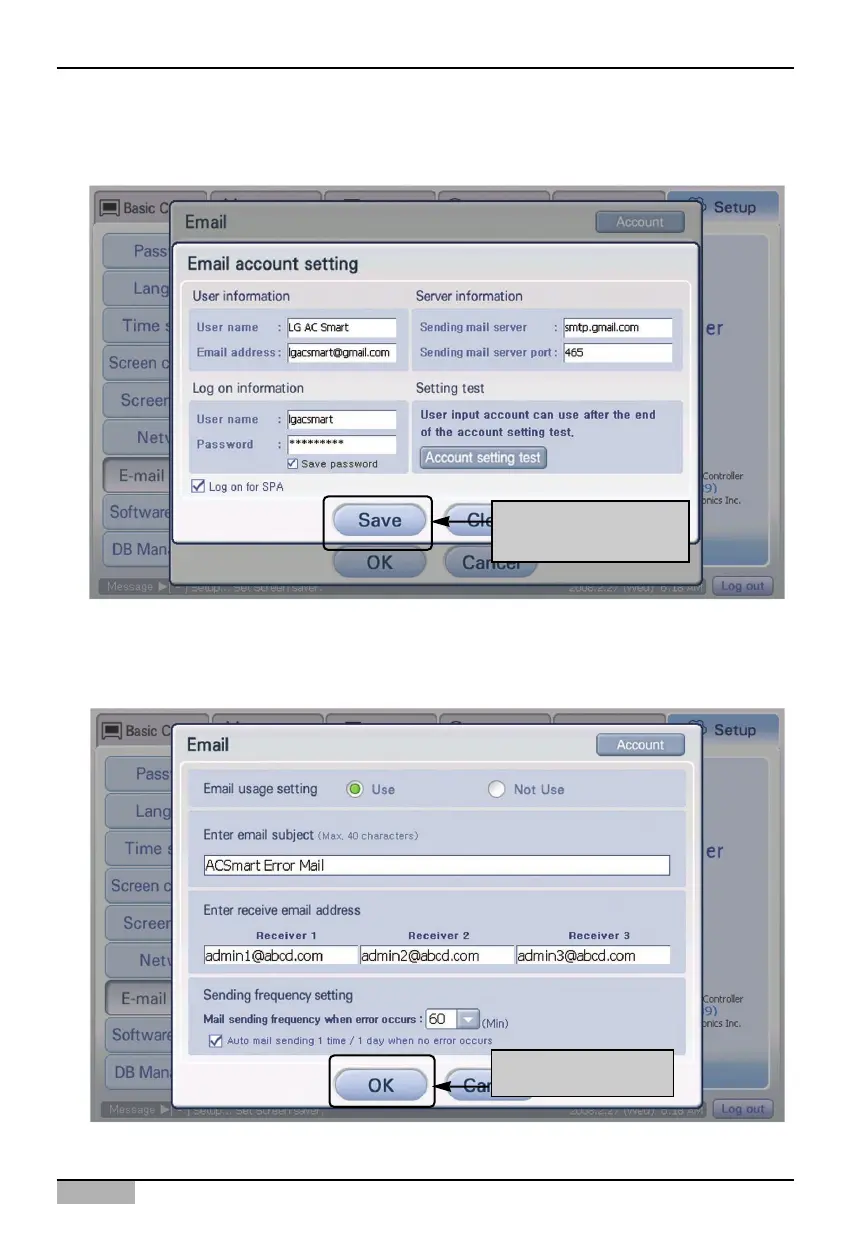
5. When it returns to ‘E-mail account setting’ screen, press [Save] button to save the set account
information.
Click [Save] button
6. When it returns to ‘E-mail setting’ screen, the set e-mail information should be saved. When you
press [OK] button, ‘E-mail setting’ screen disappears, setting the e-mail is ended, and it returns to
‘Environment setting’ screen.
Click [OK] button












 To Next Page