3. AC Smart Menu
Installation/Owner's Manual
3-21
Control item Description
'Edit schedule detail' screen where the specific day of the schedule
can be directly edited in the current screen is displayed.
'Copy schedule' screen where you can copy the schedule set for a
specific group to a different group is displayed.
You can save the currently set schedule.
You can reset the currently set schedule.
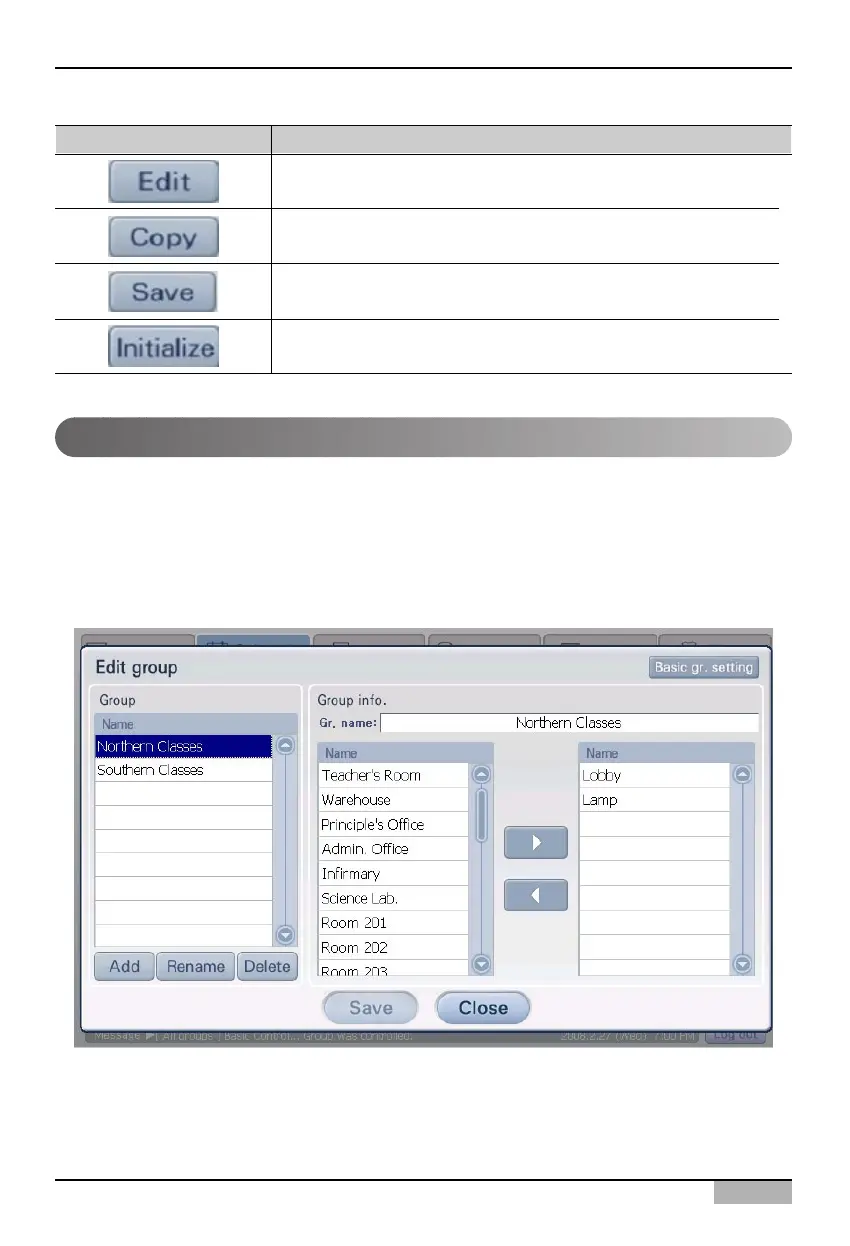
Edit group screen
Edit group screen is the screen that is displayed when you press the [Edit] button from schedule group
of edit schedule screen.
From the Edit schedule screen, you can check the schedule applied to specific schedule group. Also
by applying the pattern and period to the schedule group, you can set the air conditioner to operate at
a specific time.












 To Next Page