3. AC Smart Menu
AC Smart
3-28
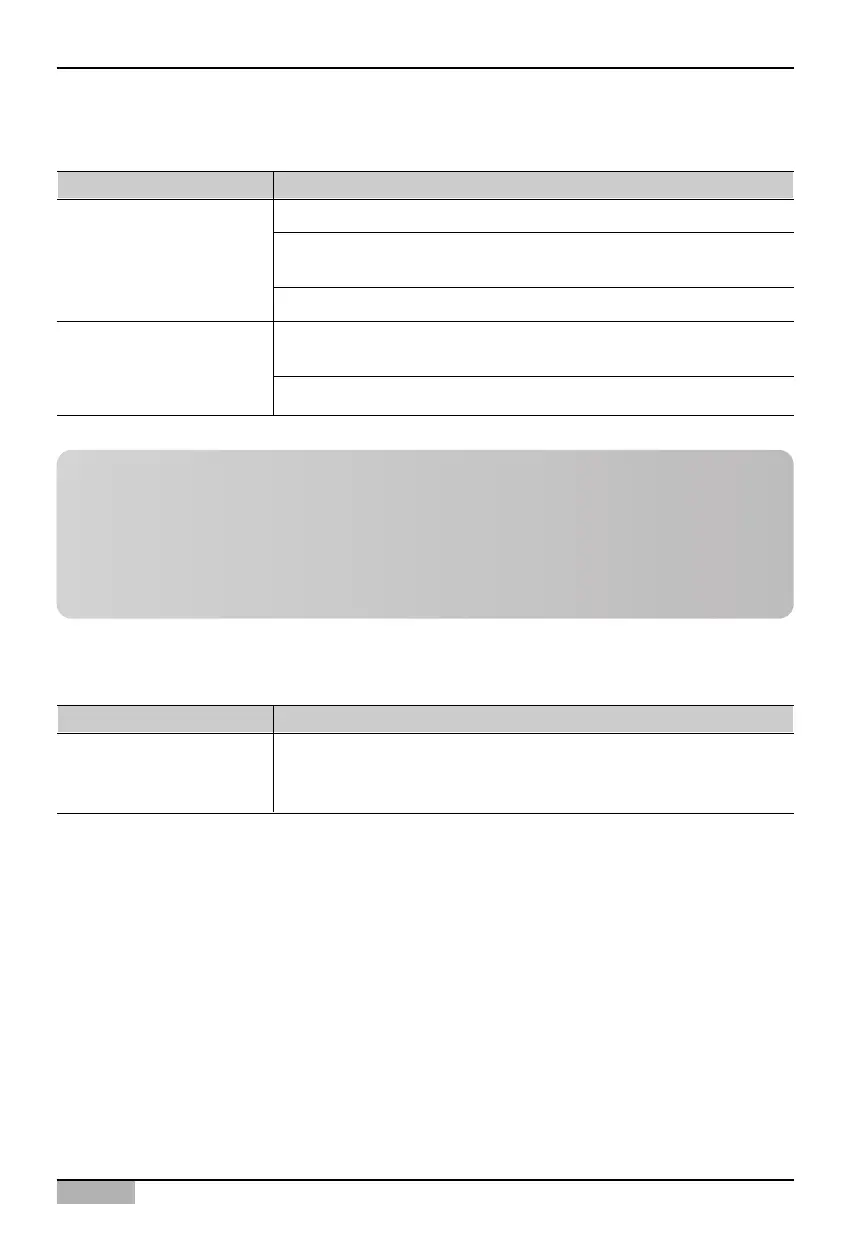
The following control commands can be set at the On/Off device.
Item Description
Fan level unlock - This disables the Fan level lock function.
Set temperature lock - This enables the Set temperature lock function so
that the user cannot individually control the indoor temperature setting.
Set temperature unlock - This disables the set temperature lock function.
Minimum set temperature - You can set the minimum indoor temperature
that can be permitted.
Maximum set temperature - You can set the maximum indoor temperature.
Indivisual Lock
Maximum/Minimum
temperature setting
Item Description
You can turn on/off the device connected to the AC Smart.
[Run]: Run the On/Off device.
[Stop]: Stop the On/Off device.
On/Off device
Reference: Individual lock function and maximum/minimum
temperature setting
Mode lock, fan level lock, set temperature lock and maximum/minimum temperature setting may
not be displayed according to the setting when registering the unit to AC Smart.
To use individual lock function and maximum/minimum temperature setting function, you must
check the ‘Detail lock function model’ located in the ‘Setting’ menu and save the setting.












 To Next Page