3. AC Smart Menu
Installation/Owner's Manual
3-51
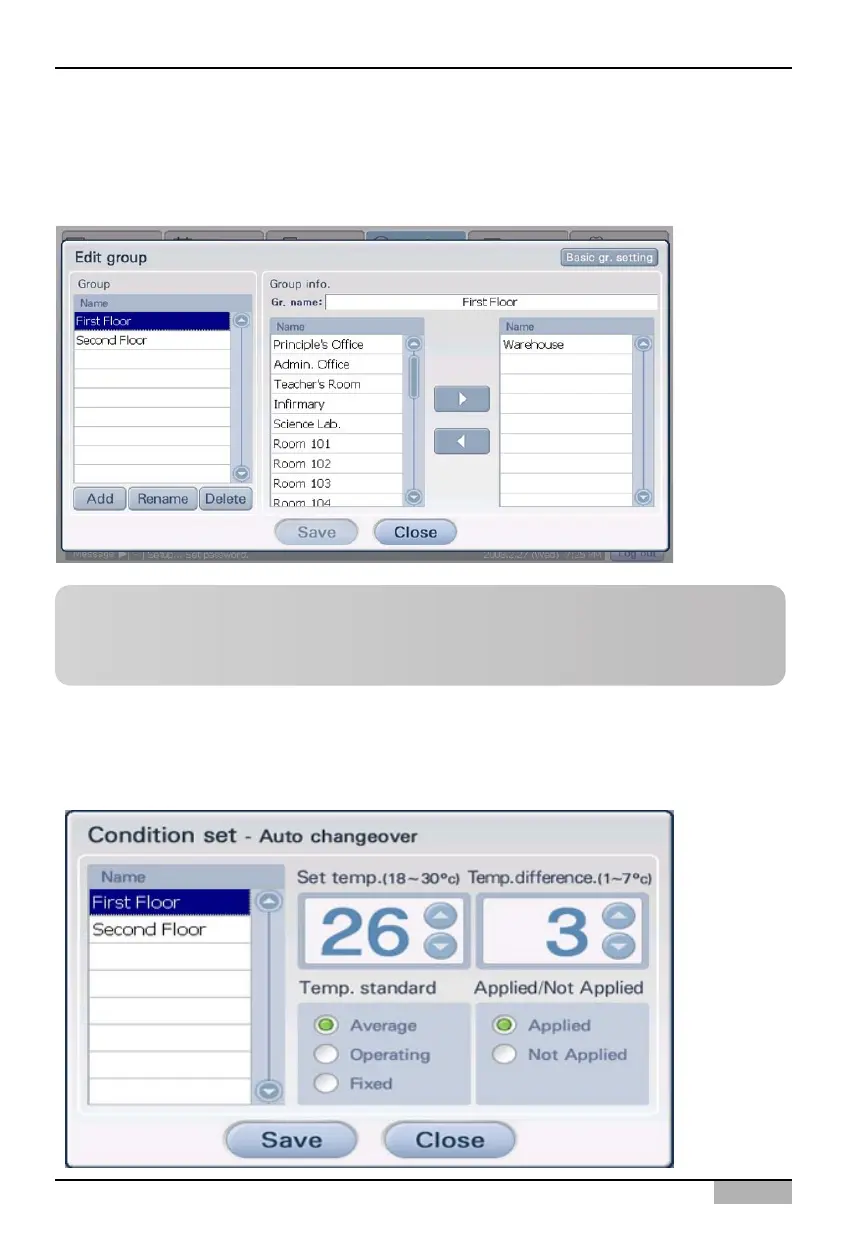
Edit group button
When you press the [Edit group] button, 'Edit group' screen that can create, edit and delete the Auto
change over operation group is displayed.
Condition setting button
When you press the [Condition setting] button, the 'Condition setting' screen to set various values
related to the Auto change over operation function is displayed.
Reference: Automatic change over operation method
For method of creating, editing and deleting the automatic change over operation group, refer to
‘Managing automatic change over operation group’ section on page 4-82.












 To Next Page