3. AC Smart Menu
Installation/Owner's Manual
3-53
Unit status within group
The unit status within group shows the status information of each unit included at the group selected
at the group setting status. The information displayed at the unit status within group is as follows:
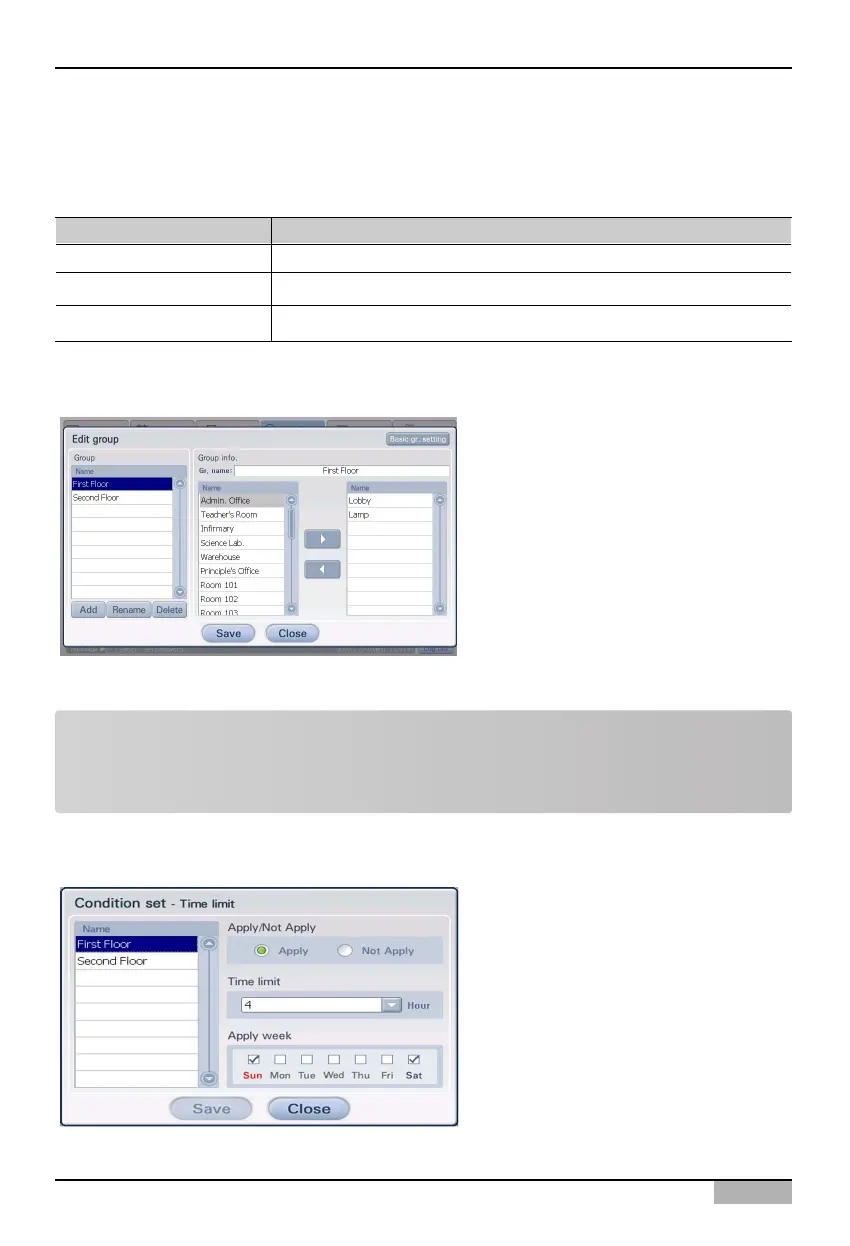
Edit Group button
When you press [Edit Group] button, ‘Edit
Group’ screen is displayed for creating,
modifying and deleting the time-limited
running group.
You can create the time-limited running
group, change or delete the existing created
group at the ‘Edit Group’ screen.
Item Specifications
Unit Name of each unit within the time-limited running group
Status Whether the time-limited running of the current unit is operated or not.
Remaining time Remaining time until the operation of the said unit stops.
<Edit Group screen>
Set Condition button
When you press [Set Condition] button, the
‘Set Condition’ screen is displayed for
setting various values related to the time-
limited running function.
When you enter the time-limited running
items to be set for the time-limited running
group and press [Save] button, the time-
limited running function is set to the said
group.
<Set Condition screen>
Note: How to operate the time-limited running
See ‘Managing the time-limited running group’ at Page 186 for creating, modifying and deleting the
time limited running group.












 To Next Page