Trackit Mk3 User Manual
55
Serve r Se t - up
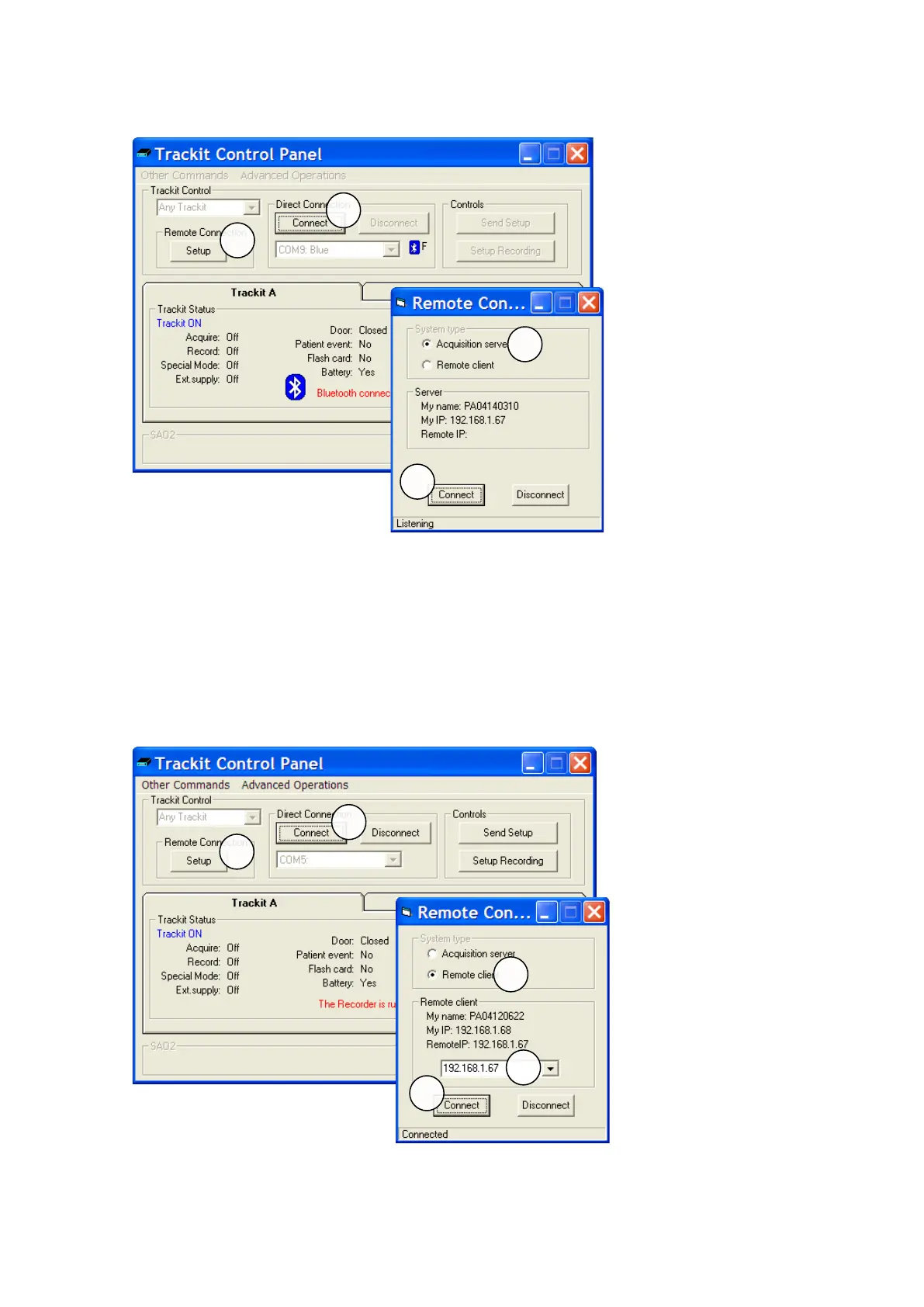
1. I n t he norm al way, connect t o t he Trackit device via eit her serial connection or Bluetooth.
See Trackit Cont rol Panel above.
2. Click the Rem ote Connection Setup but t on to display the Rem ot e Connect ion window as
shown above.
3. Select Acquisit ion Server.
4. Click the Connect But t on. Make a not e of the ‘My I P’ address which will be required by the
client .
5. The program will now listen for a connect ion from a rem ot e client .
Clie nt Set - up
1. Click the Rem ote Connection Setup but t on to display the Rem ot e Connect ion window as
shown above.



 To Next Page