Trackit Mk3 User Manual
56
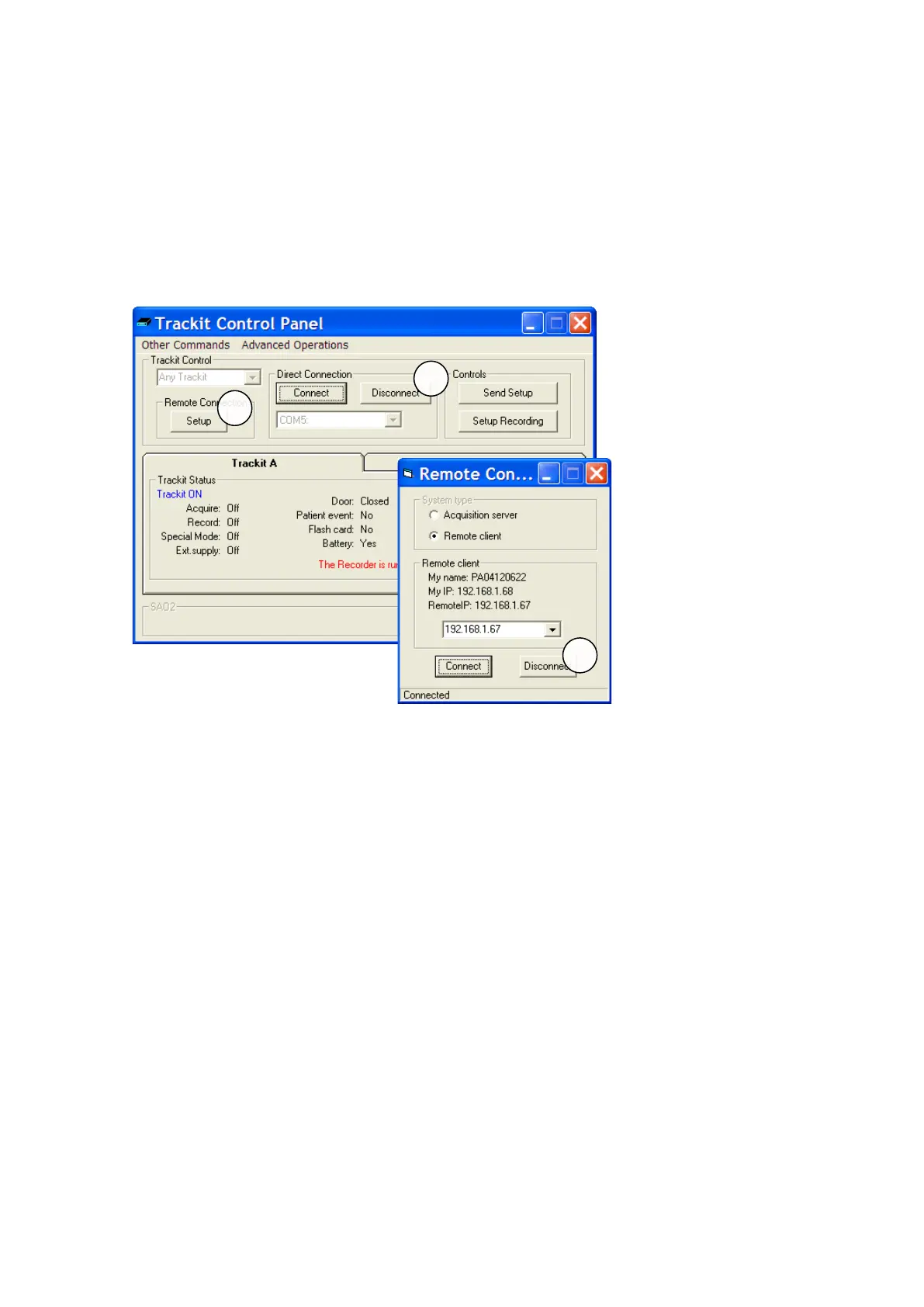
2. Select Rem ot e Client .
3. Ent er t he IP address of t he server as shown in t he pr evious sect ion.
4. Click the Connect but t on and leave the Rem ote Connection window open.
5. Click the Connect but t on in Cont rol Panel.
At t his point the client will have com plet e cont rol over the rem ote Trackit just as if it were con-
nected locally.
The server will display ‘This Trackit is now under rem ot e cont rol’ to indicat e that cont rol has been
transferred t o the client.
Clien t Shut - dow n
1. Click Disconnect in the Cont rol Panel.
2. Click the Rem ot e Connect ion Set up but ton to display t he Rem ot e Connect ion window as
shown above.
3. Click Disconnect.



 To Next Page