Trackit Mk3 User Manual
67
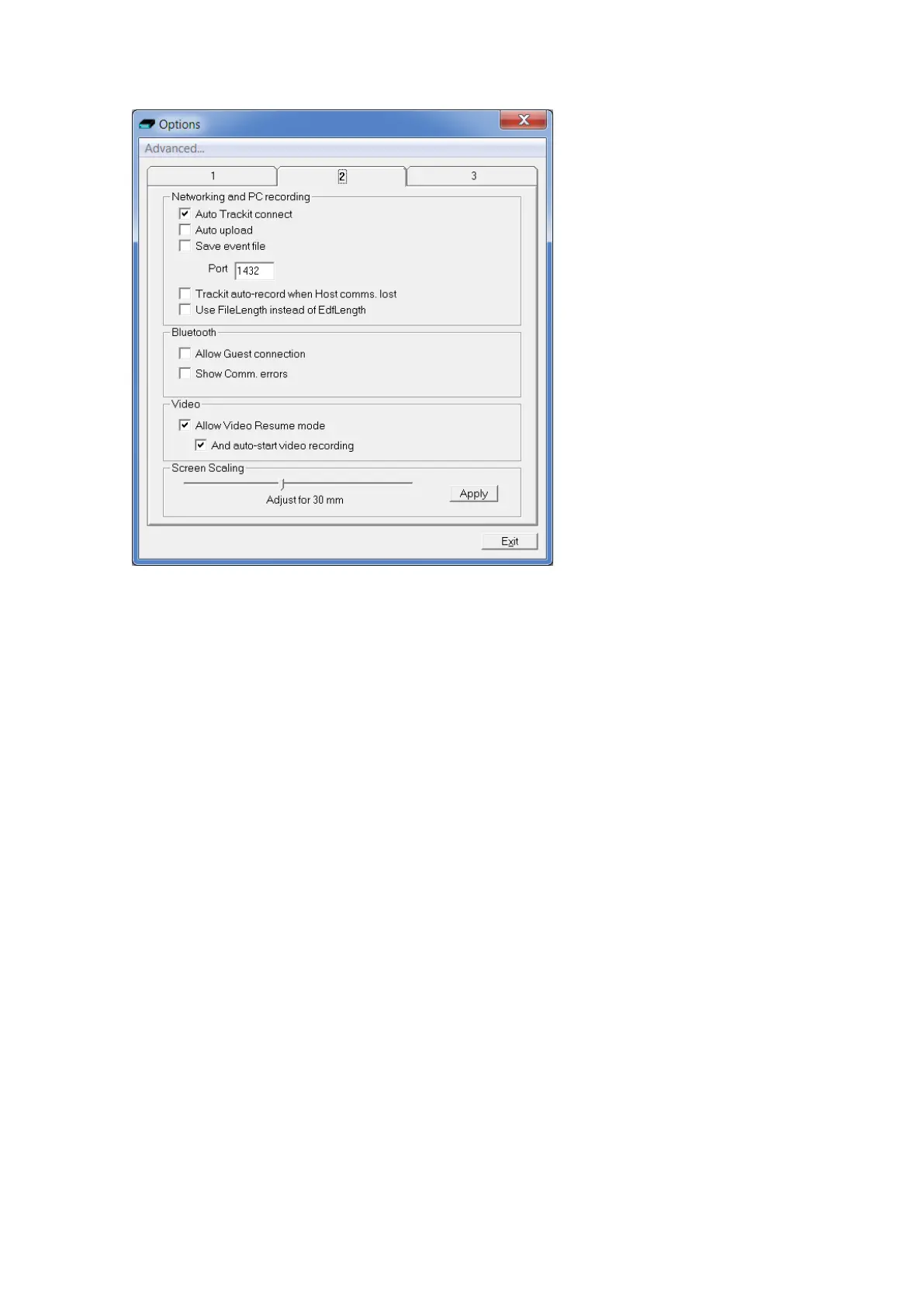
Figur e 5 1 Opt ion s Tab 2
Net working and PC recording Options (Trackit plus only)
• Aut o Tr a ck it con n e ct . I f t icked t his will cause t he applicat ion to at t em pt to reconnect t o t he
designat ed Trackit aft er a disconnect. The disconnect can be loss of Bluetooth link or un-
plugged cable et c. Note that it is not a m anual disconnect, which cancels the Autoconnect fea-
ture. Aut oconnect start s after the first m anual connection.
• Aut ouploa d. I f t icked t his will cause t he application t o autom atically upload the Trackit ’s setup
im m ediat ely after a connection is est ablished. It is only enabled if Aut o Trackit Connect is ena-
bled.
• Save Event File. I f ticked this will cause the application t o autom atically upload the Trackit ’s
event file im m ediately after a connection is established and save it in a t em porary file called
Tem pEve1.tev in t he default application path. This file can be viewed or em ailed out at a lat er
tim e wit h or wit hout the Trackit connected. I t is only enabled if Auto Trackit Connect and
Autoupload are enabled.
• Por t . This is t he port num ber that the applicat ion uses for its TCP networking connect ion. For
the client, this designates t he local port t o send dat a from . For t he server, t his is the local port
to listen on.
• Tra ck it aut o- recor d w he n H ost com m s. lost . I f t icked t he Trackit will autom at ically st art re-
cording when the Host com m unicat ion is lost if it has been in Headbox m ode ( Host PC record-
ing) . This feature is m ost useful wit h a wireless Bluet oot h connection, but it will work for any
type of connection. I f there is already a file on t he Trackit disk, t hen t he usual r ules apply :
1. The Trackit will not overwrit e a file less t han 24 hour s old
2. The Trackit will append new data to a file less t han 24 hours old if t he Pat ient Nam e, I D,
recording set up and all ot her det ails are ident ical to its current set up
3. The Trackit will overwrite in all ot her cases
Note t hat the Trackit will not autom atically st op recording upon reconnect ion. This m ust be done
m anually from t he Host if required.



 To Next Page