EasyManua.ls Logo

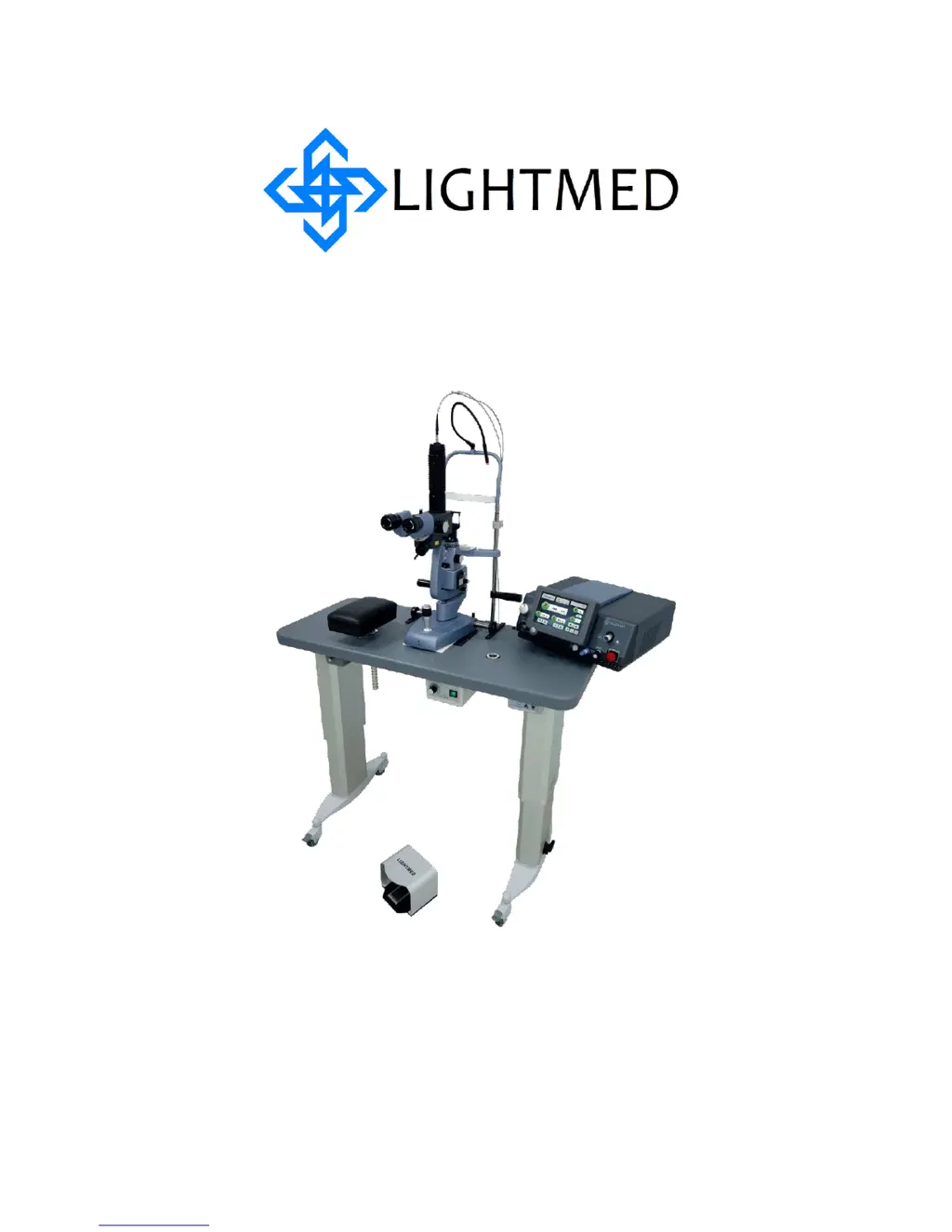
Lightmed LightLas 532 - User Manual

Lightmed LightLas 532
115 pages
Print Icon
To Next Page IconTo Next Page
Loading...
LightLas532 – Operators Manual Rev. No 01 Page 1of 115
Operator’s Manual
LightLas 532
Green Laser Photocoagulator With LCD
Control Panel

Table of Contents

Other manuals for Lightmed LightLas 532

Questions and Answers

  • T
    Troy LindseyAug 29, 2025
    What does 'Err 5053 - Remote ROM Error' indicate on Lightmed Medical Equipment?
    • D
      David SolisAug 30, 2025
      If your Lightmed Medical Equipment shows 'Err 5053 - Remote ROM Error', it indicates a mismatched code in the remote software during startup. Try rebooting the system. If the error persists, contact an authorized service or the manufacturer.
  • R
    Ronald ChenAug 28, 2025
    What does 'Err 5052 - Remote Time Up Error' mean on Lightmed Medical Equipment?
    • L
      Lawrence BarkerAug 28, 2025
      If your Lightmed Medical Equipment displays 'Err 5052 - Remote Time Up Error', it means the timer in the remote stopped running. Try rebooting the system. If the error persists, contact an authorized service or the manufacturer.
  • J
    James DavisAug 27, 2025
    How to fix 'Err 5051 - Remote Communication Error' on Lightmed Medical Equipment?
    • A
      Andrea CastroAug 27, 2025
      If your Lightmed Medical Equipment shows 'Err 5051 - Remote Communication Error', it means there's no communication between the remote and the laser console. Try rebooting the system. If the error continues, contact an authorized service or the manufacturer.
  • R
    Ricky NicholsAug 26, 2025
    What does Err 5041 mean for Lightmed LightLas 532?
    • L
      Lauren HallAug 27, 2025
      If your Lightmed Medical Equipment displays 'Err 5041 - Laser Diode Temperature Out of Tolerance +/- 2.5C', it could be due to the ambient temperature being too high or low, preventing the laser temperature TEC from reaching a stable value within 5 minutes. Try rebooting the system. If the problem persists, contact an authorized service or the manufacturer.
  • M
    Marilyn BrownAug 25, 2025
    What does 'Err 501 - Shutter Failure' mean on Lightmed LightLas 532 Medical Equipment, and how to fix it?
    • R
      Robert WrightAug 26, 2025
      If your Lightmed Medical Equipment shows 'Err 501 - Shutter Failure', this indicates that the shutter failed to open or close. Try rebooting the system. If the problem continues, contact an authorized service or the manufacturer.
  • A
    Alexander ReyesAug 25, 2025
    What to do if Lightmed Medical Equipment shows 'Err 500 - ROM'?
    • K
      Kim JohnsonAug 25, 2025
      If the Lightmed Medical Equipment displays 'Err 500 - ROM', it means the system didn't pass the software integrity test. Try rebooting the system. If the error persists, contact an authorized service or the manufacturer.

Summary

Section 2 SAFETY

2.2 Warnings and Precautions

Essential safety guidelines and precautions for operating the LightLas 532 laser system.

2.3 Optical Hazards

Details potential optical hazards associated with laser operation and protective measures.

2.3.2 Avoid Exposure to Laser beams

Provides crucial instructions on how to prevent exposure to direct or scattered laser radiation.

2.4 Electrical Hazards

Outlines potential electrical hazards and necessary precautions to prevent shock.

Section 3 PRODUCT SPECIFICATIONS

Section 4 PRINCIPLES OF OPERATION

4.2 Laser Console and LCD Displays

Detailed explanation of the laser console's controls and the LCD panel interface.

Section 5 INSTALLATION

5.1 Introduction and Requirements

Details the recommended procedures and prerequisites for installing the LightLas 532 laser system.

5.5 Pre-check and Alignment Procedures

Steps for pre-checking and aligning the laser system components before operation.

5.5.2 LDU Pre-check and Alignment

Guidance on pre-checking and aligning the different Laser Delivery Units (LDUs).

Final Testing and Verification

Procedures for final testing and verification of the laser system's performance.

5.5.2.1 B Attachment Slitlamp LDU Pre-check

Pre-check and alignment procedures specific to the attachment slitlamp LDU.

5.5.2.2 LIO Pre-check and Alignment

Pre-check and alignment procedures for the Laser Indirect Ophthalmoscope (LIO).

Section 6 CLINICAL USE

6.2 General Warnings

Provides critical general warnings and safety precautions for using the laser system during treatments.

Section 7 MAINTENANCE

Section 8 TROUBLESHOOTING

Lightmed LightLas 532 Specifications

General IconGeneral
Laser TypeDiode Pumped Solid State (DPSS)
Wavelength532 nm
Cooling SystemAir Cooled
Power Supply100-240 VAC, 50/60 Hz
Pulse Duration10 ms to 3000 ms
Aiming BeamRed Diode 635 nm
Operation ModeContinuous
ApplicationsRetinal Photocoagulation
Delivery SystemSlit lamp adapter, laser indirect ophthalmoscope (LIO)

Related product manuals