Page 4-5
MPS Motor Protection System Rev. 6-F-022117
Operation and Setup
4.2.11 ANALOG INPUT
OPI Menu: Setup | 4-20 Analog In | Input Function
The analog input function is selectable as Metering
Only, Protection, Sync to ASD, or Motor Speed.
4.2.11.1 METERING ONLY
OPI Menu: Setup | 4-20 Analog In ⏐ Metering Only
When Metering Only is selected, an analog input does
not affect MPS operation, but its value can be observed in
the Metering menu and with a communications network.
4.2.11.2 PROTECTION
OPI Menu: Setup | 4-20 Analog In ⏐ Protection
The Protection analog input has high- and low-level
trip and alarm set points. A high-level trip or alarm
occurs when the 4-20-mA input exceeds the high-level
trip or alarm set point. A low-level trip or alarm occurs
when the 4-20-mA input is lower than the low-level trip
or alarm set point.
4.2.11.3 SYNCHRONIZE TO ASD
OPI Menu: Setup | 4-20 Analog In ⏐ Sync to ASD
When Sync to ASD is selected the MPS uses the 4-20
mA input to set the internal sampling rate for current and
voltage inputs. Select drive-frequency values
corresponding to 4 and 20 mA.
4.2.11.4 MOTOR SPEED
OPI Menu: Setup | 4-20 Analog In ⏐ Motor Speed
This selection overrides the selections for the high-
speed tachometer input – failure-to-accelerate protection
and speed metering use the analog input as the source of
speed information.
4.2.12 STARTER
OPI Menu: Setup | Starter
As a default, Starter Type is set to Protection Only.
When a starter type is selected, output relays must be
assigned for contactor control. See Section 4.2.7. Digital
inputs must be assigned if contactor-status feedback is
required. See Section 4.2.8.
See Section 6 for starter information.
4.2.13 PROTECTION
OPI Menu: Setup | Protection
OPI Menu: Setup | System Ratings | Run Mode Delay
See Section 5 for protective function details. As a
minimum, locked-rotor current and time must be set for
overload protection.
Some protective functions are active after the Run-
Mode Delay.
4.2.14 MISCELLANEOUS CONFIGURATION
OPI Menu: Setup | System Config
System Name Appears on many of the display
screens and can be set by the user.
(18-character alphanumeric field)
Password Used to change the 4-character
alphanumeric password.
Clock Setting Used to set the date, 24-hour clock,
and IRIG set points. Daylight
savings time is not supported.
Password Timeout Used to set the password time-out
delay. Delay is measured from last
key press.
Maintenance Used to:
• Clear event records, trip
counters, energy values, and run
hours
• Load defaults
• View firmware version and
serial numbers
• Unlock local control if
communication is lost
• Update Firmware
4.2.15 NETWORK COMMUNICATIONS
OPI Menu: Setup ⏐ Hardware ⏐ Network Comms
The standard interface on the MPS is an RS-485
network. Modbus
®
RTU and A-B
®
DF1 protocols are
supported.
The protocol, network ID (address), error checking, and
baud rate are selectable. See Appendices C, D, E, and F.
If equipped with an optional network interface, refer to
the appropriate optional communications-interface
manual.
4.3 MPS-OPI
4.3.1 GENERAL
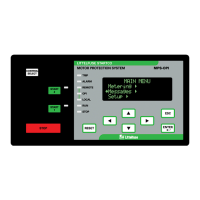
See Fig. 4.3. The Operator Interface (OPI) is used to
perform motor-control functions, display meter readings,
and program the MPS-CTU. Set points are not resident in
the OPI. Control voltage for the MPS-OPI (24 Vdc) is
supplied by the CTU and communications with the CTU
is through an RS-485 link. This allows the MPS-OPI to
be mounted up to 1.2 km (4,000’) from the CTU. Up to
three OPI’s can be used with each CTU.
4.3.2 CONFIGURING THE MPS-CTU FOR OPI
OPERATION
OPI Menu: Setup | Hardware | OPI Display
Select the number of OPI's in the Number of OPI's
menu. The MPS-CTU supports up to three OPI’s. In
multiple-OPI systems, all OPI's display the same
information and the CTU will process key presses from
all OPI's. If an OPI is not used, set number of OPI's to 1
(default).
A loss-of-communication trip can be enabled in the
OPI-Loss Trip menu. Display intensity can be set in the
Intensity menu.
To extend the life of the vacuum-florescent display, a
screen saver is provided and enabled using the Screen
Saver menu. The screen saver activation time is defined
by the Setup | System Config | Password Timeout setting.


 To Next Page