Page 4-7
MPS Motor Protection System Rev. 6-F-022117
Operation and Setup
4.3.4 METERING
OPI Menu: Metering
OPI Menu: Setup | Hardware | OPI Display | Meter
Summary
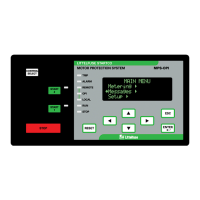
When Metering is selected in the main menu, press the
right-arrow key to access a list of metering displays. Use
the up- and down-arrow keys to scroll through the
display list. Pressing the right-arrow key displays the
selected metering information. See the MPS-OPI menu
map in Appendix A.
RESET is a “hot key” that is active in all meter
displays. Pressing RESET causes a jump to the Trip and
Alarm display to allow trips to be viewed and reset.
Press RESET again to reset a trip. Pressing ESC or the
left-arrow key causes a return to the Metering display.
Many displays include per unit (pu) values where
1.0 pu is equal to 100%. I
a
, I
b
, I
c
, I
1
, and I
2
are in per unit
of full-load current. I
g
is in per unit of earth-fault-CT-
primary rating. V
ab
, V
bc
, and V
ca
are in per unit of
System Voltage.
The unbalance display indicates minus (-) if current
inputs are not sequenced A-B-C.
The IEEE convention is used for power displays:
+Watts, +Vars, -PF (Lag) Importing Watts,
Importing Vars
+Watts, -Vars, +PF (Lead) Importing Watts,
Exporting Vars
-Watts, -Vars, -PF (Lag) Exporting Watts,
Exporting Vars
-Watts, +Vars, +PF (Lead) Exporting Watts,
Importing Vars
The operating range for energy values is ±2E±1024,
however the maximum OPI display range is ±2E±34.
The Setup | Hardware | OPI Display | Meter Summary
menu is used to configure the type of metering display
selected by the Metering | Summary menu. In order to
view the maximum amount of data, no menu title is
displayed.
Display selections for the Summary menu are:
• IDR Current-based metering (I), digital
inputs (D), and relay outputs (R):
Average current, current unbalance, earth leakage,
used I
2
t, digital input and relay output status.
I: xxxx A Iu: x.xx
Ig:xxxx A I2t:xx%
Di: 1..7: xxxxxxx
Ry: 1..5: xxxxx
This selection is the default for the summary display.
• IVP Current-based metering (I), voltage (V),
unbalance, and power (P):
Average current, current unbalance, earth leakage,
used I
2
t, average voltage, voltage unbalance, power and
power factor.
I: xxxx A Iu: x.xx
Ig:xxxx A I2t: xx%
V: xx.xx kV Vu: x.xx
P: xx.x kW PF: x.xx
This selection is applicable for an MPS using voltage
inputs.
• IVPA Current-based metering (I), voltage
(V), power (P), and analog I/O (A):
Average current, average voltage, earth leakage, used
I
2
t, power, power factor, and analog currents.
I: xxxx A V: xx.xx kV
Ig:xxxx A I2t:xx%
P: xx.x kW PF: x.xx
Ai:xxx% Ao: xxx%
This selection is applicable when the MPS analog
output is used in a process control loop. The analog
input and output values provide indication of control-
system operation.
For each metering display, Table 4.4 shows the
information that can be displayed.
4.3.5 MESSAGES
OPI Menu: Messages
Selecting this menu item allows trip and alarm
messages, status messages, event records, and statistical
data to be viewed and resets to be performed.
4.3.5.1 TRIP RESET
OPI Menu: Messages | Trip and Alarm
Up to fifteen trip and alarm messages can be displayed
in a scrollable-list format. Trip messages must be
individually selected and reset when the OPI RESET key
is used. All trips are simultaneously reset by digital-
input reset, with the MPS-CTU RESET key or with a
communications-network command. Alarms are non-
latching and are displayed only for the time that the
alarm condition exists.
RESET is a “hot key“ to the Trip and Alarm display,
except during set-point entry. In the Trip and Alarm
display, press ESC or the left-arrow key to return to the
display shown when RESET was pressed.
4.3.5.2 STATUS
OPI Menu: Messages | Status Messages
This menu is used to display status messages. Status
messages are shown in Table 4.5.


 To Next Page