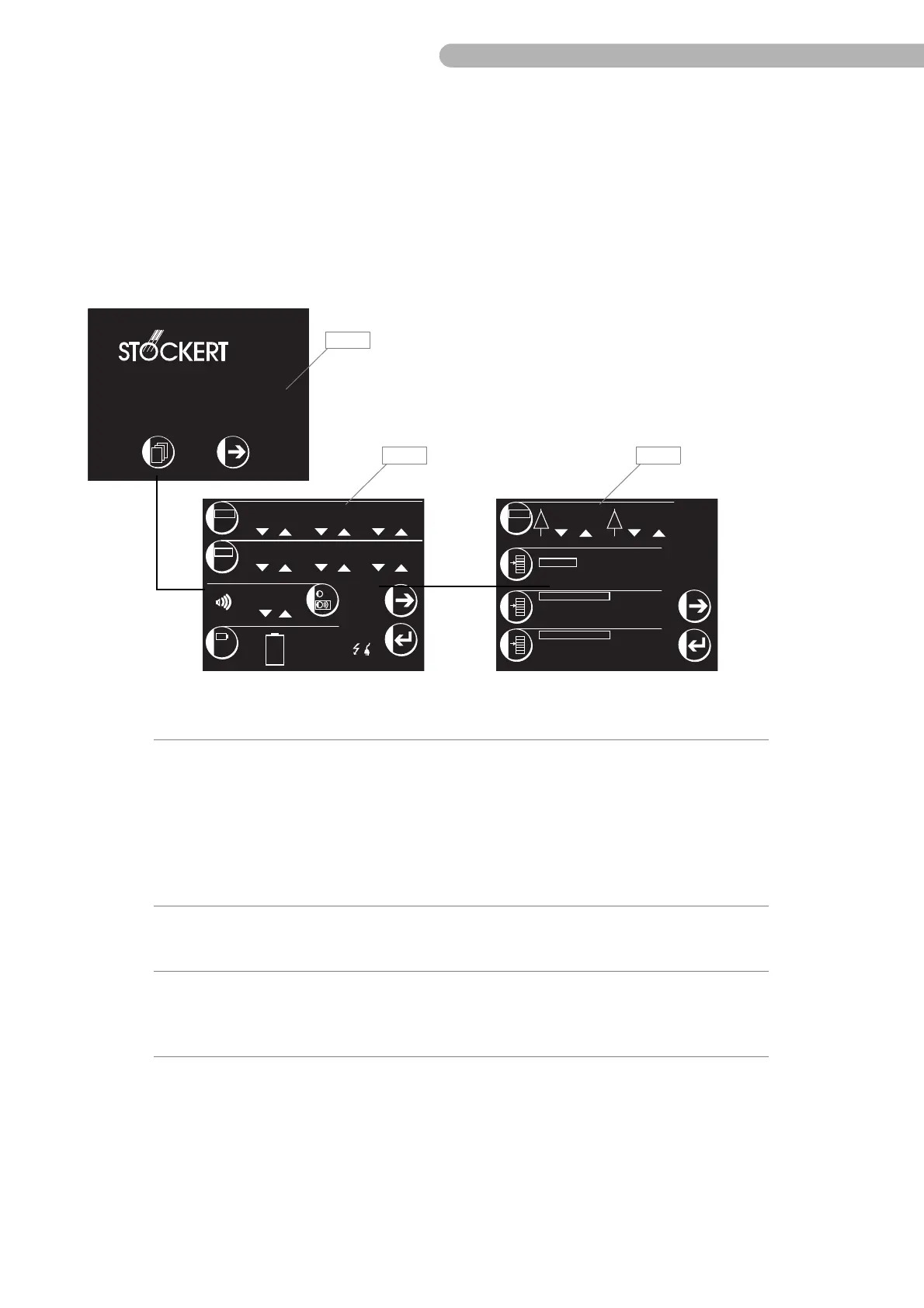
SCPC System • User menu and service menu
CP_SEM_60-03-00.002 29
4 User menu and service menu
4.1 User menu (summarised overview)
Detailed information on operating the SCPC System can be found in the relevant operating
instructions. The following pages provide a short overview of the menu structure for simplified
orientation.
fig. 11: System menu overview
100.0
%
P
1
100.0
%
P
2
Deutsch
English
Français
Italiano
Español
mmHg
kPa
36 mmHg 65 mmHg
4 Temperatures
1 Temp. + Bubble
1 Temp. + Level
1 Temp. + Level/Bubble
2 Pressures
Pressure + Flow
100
00250h
%
Test
7.2
Ah
27. 08. 2001
08 45 27::
dd.mm
mm/dd
24 h
ampm
Battery Test
in 09 day(s) !!
92%
INSTRUMENTE GMBH
SCPC System
Firmware Version: V1.5 / V1.3 / V1.1
Item Description Function
M31Start page ➜ Goes to the Main and System Menu,
(hidden) access to the Service Menu
➜ Display of the firmware versions
(in this sequence) of:
– CPU (ZDS 2006) circuit board
– Battery monitoring circuit board
(ZAU 2002)
– Interface (ZIS 0202) circuit board
M32System menu 1 ➜ Configuration of the basic settings
➜ Batteries test
(battery test)
M33System menu 2 ➜ Changes the language
➜ Configuration of the monitoring
functions (depending on the modules
installed)



 To Next Page