SCPC System • Replacing components
CP_SEM_60-03-00.002 55
6.3 Primary-side mains connection
It may be necessary to replace the mains switch if the SCPC System cannot be shut down.
6.3.1 Removing the mains switch
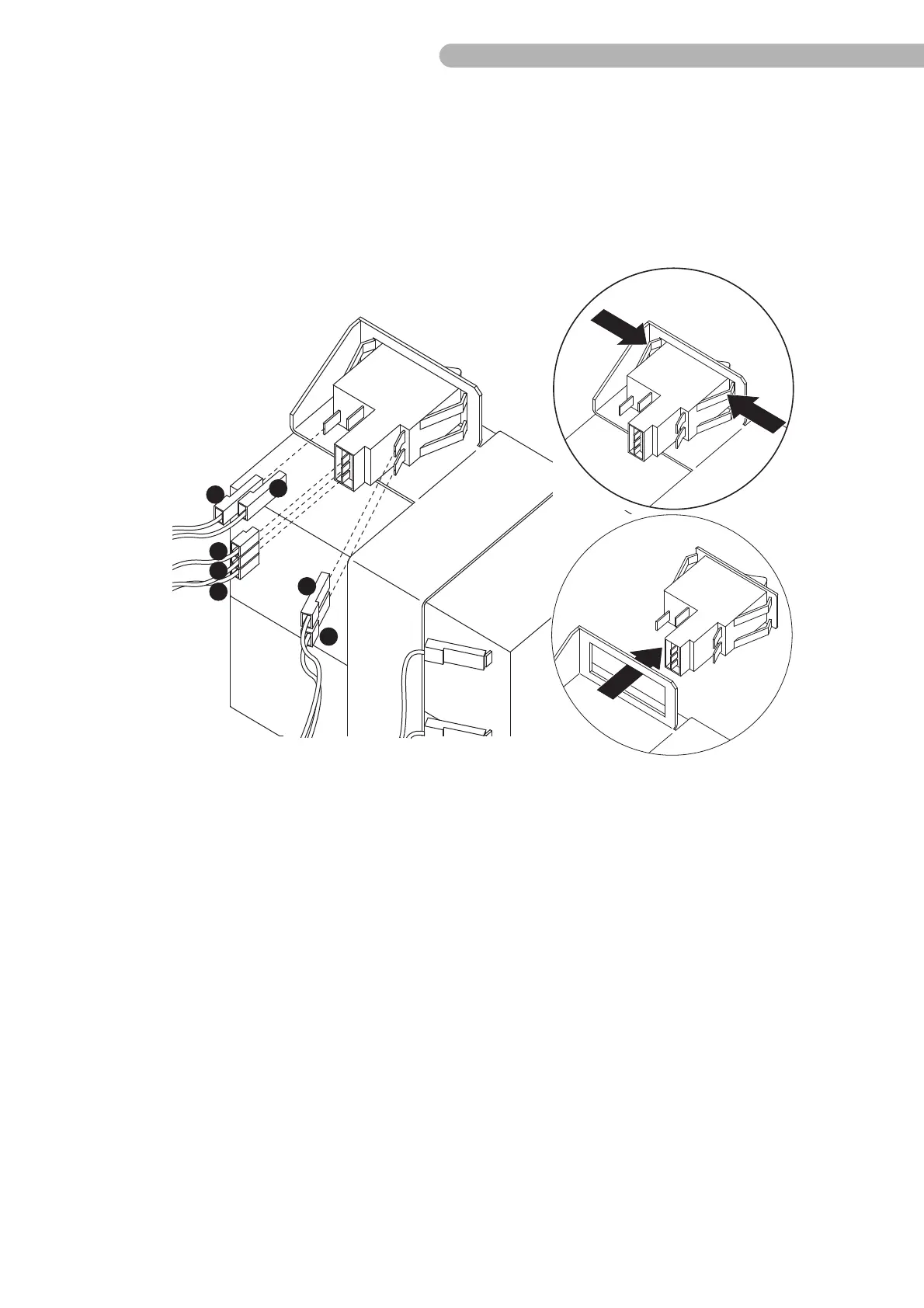
fig. 26: Removing the mains switch
◗ Unplug all connectors from the mains switch.
◗ Press together the support brackets on the sides of the switch and take out the mains switch.
!
When installing the new switch, make sure you are using the correct new version of the mains switch.
Part numbers 96-143-002, 96-143-004 and 96-143-005 have become obsolete and must no longer be
used.
!
Also ensure that the polarity is correct (see diagram above) and that the ON-side of the switch is
positioned correctly.
Auxiliary contacts Input/output
a red
b blue
c yellow
d blue (~)
e brown (~)



 To Next Page