SCPC System • Replacing components
46 CP_SEM_60-03-00.002
6.1.2 Opening the SCPC System
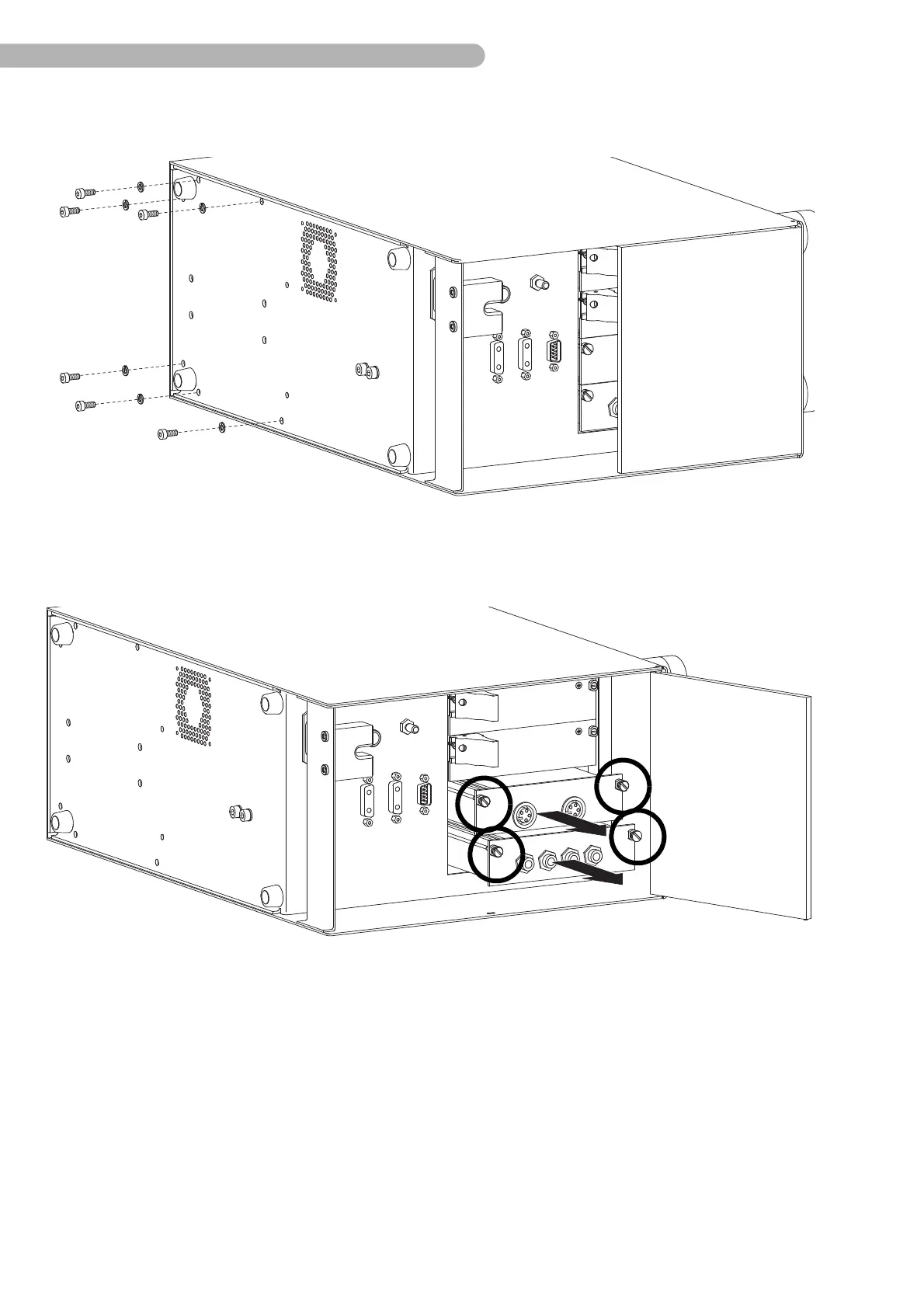
fig. 15: Opening the casing
◗ Carefully place the SCPC System on its side.
◗ Unfasten the six screws shown above (Allen screws size. 3) on the bottom of the casing including
the washers.
fig. 16: Removing the modules
◗ Open the cover plate.
◗ Unscrew the four screws on the sensor modules as shown (slotted screwdriver size 2).
◗ Pull out both modules.



 To Next Page