SCPC System • Replacing components
CP_SEM_60-03-00.002 47
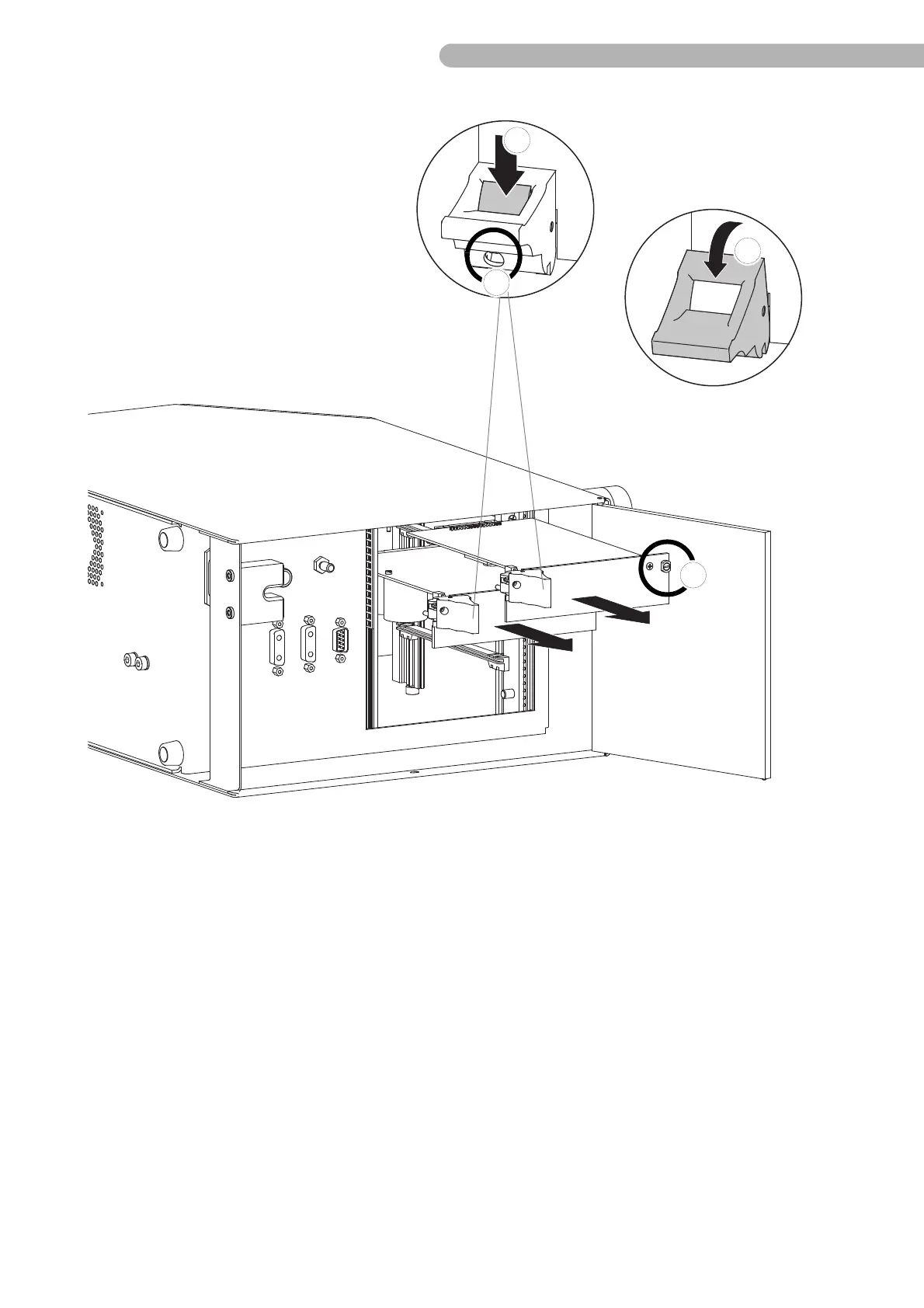
fig. 17: Removing the circuit boards
◗ Unfasten the screws (a) on the upper edges of the circuit boards battery monitoring (ZAU 2002) and
mains monitoring (ZNU 2003) (slotted screwdriver size 2).
◗ Unfasten the screws (b) on the eject levers (slotted screwdriver size 2).
◗ Press the lock on the eject lever downwards (c).
◗ Tilt the eject lever (d).
◗ Pull both circuit boards straight out on the eject levers.



 To Next Page