SCPC System • Replacing components
58 CP_SEM_60-03-00.002
6.4 Rectifier
It may be necessary to replace the rectifier if, for example, the SCPC System cannot be switched on
without the batteries being charged.
6.4.1 Removing the rectifier
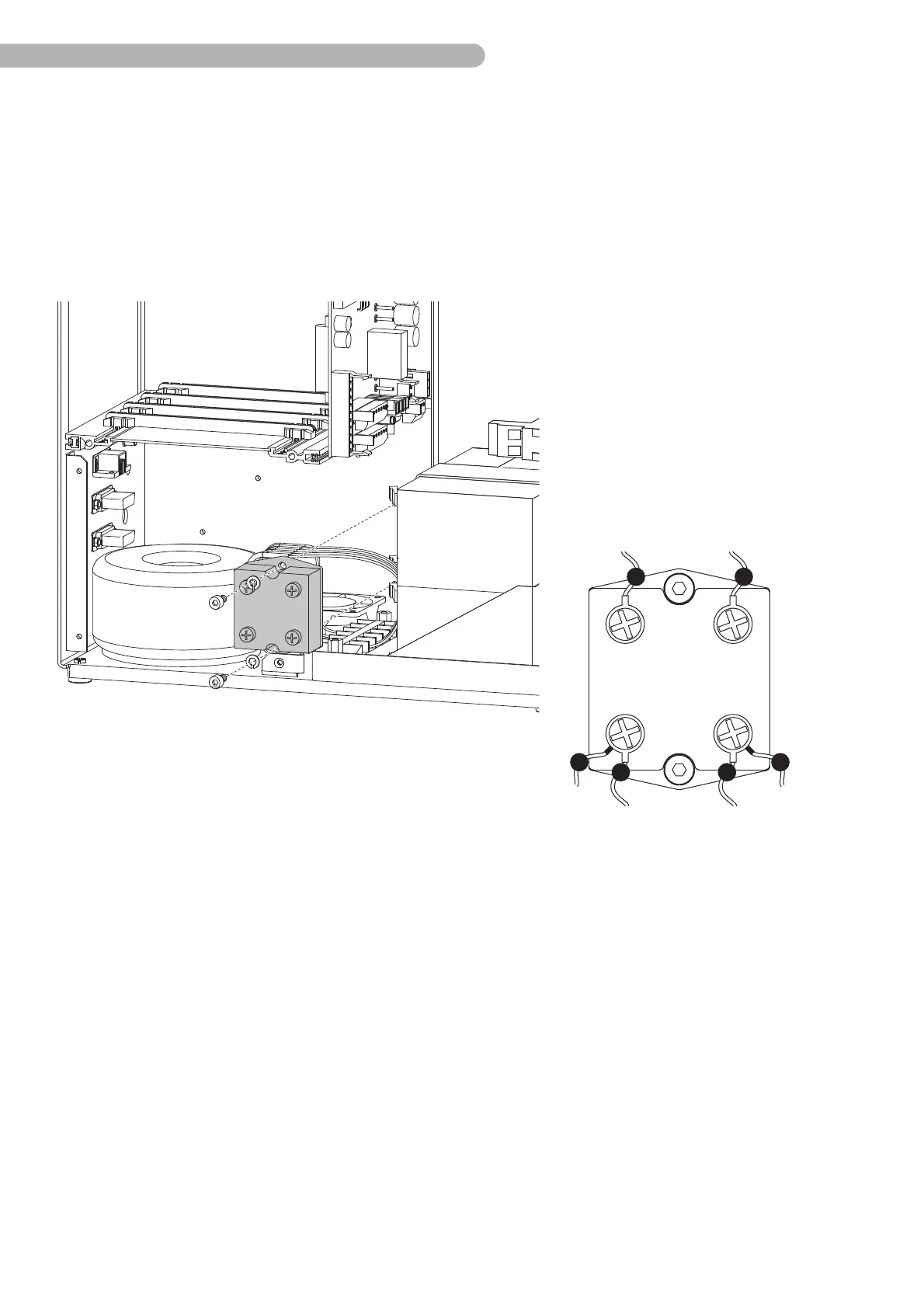
fig. 29: Removing the rectifier
◗ Open the four screws (Phillips size 2) to remove the connecting cable on the rectifier.
◗ Remove the two screws (Allen key size 3) to take out the rectifier.
Assemble the new rectifier in reverse order. Ensure that the cables are connected correctly according
to the table given above.
Input Output
c yellow (~)
d grey (~)
a red (+)
b black (–)
ba
c
dd



 To Next Page