SCPC System • User menu and service menu
32 CP_SEM_60-03-00.002
4.2 Service menu
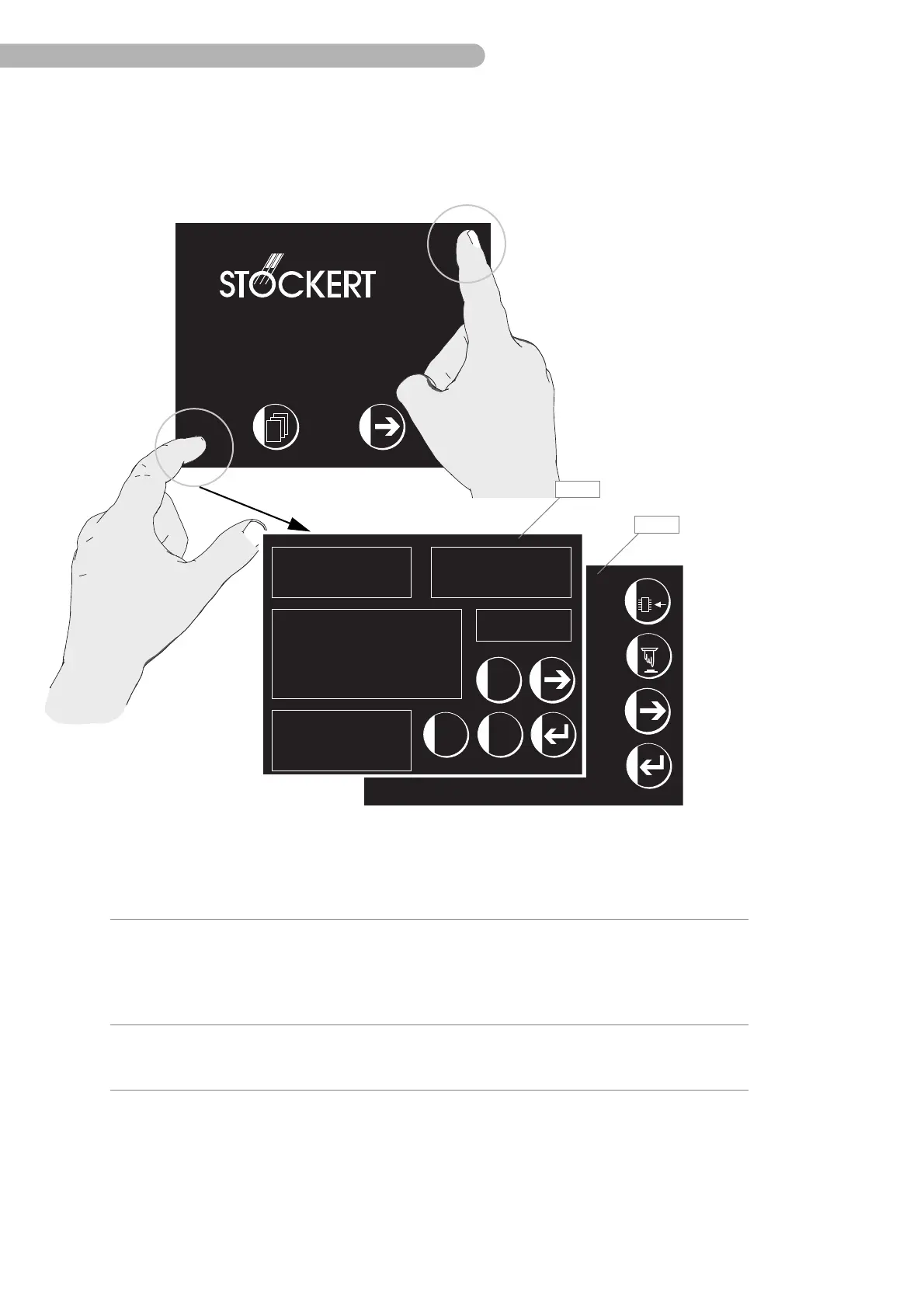
To open the Service menu, press the top right corner and then the left bottom corner on the start page
in quick succession. The first page of the Service menu will be opened.
fig. 13: Service menu overview
INSTRUMENTE GMBH
SCPC System
Firmware Version: V1.5 / V1.0 / V1.0
2
1
Charge
Charge Status :
Deep Ch. Time:
Fast I Time:
Fast U Time:
Capactiy:
Info
Stored Offset:
Stored Capactiy:
Low Capactiy:
Discharge Curve Use
Overload Condition
Number of Deep Discharges
Charge time too long
Actual Error Number:
Test in 62 days, last:
Actual Values
Battery Current:
Battery Voltage:
Boost Voltage:
Int. Voltage:
Cooler Temp.:
Power: MS/PD/
Discharge
Charge Status:
Dischr. Time:
Battery Time:
Battery Load:
Capactiy:
Status
AC POWER
ZAU NORMAL OP
TRICKLE CHARGE
28 %
0:24:52 h
1:13:34 h
0:13:34 h
7.025 Ah
-0.057 A
26.746 V
29.412 V
27.754 V
37 C
Change: 07
56 %
0:25:53 h
0:27:23 h
34 %
7.013 Ah
5 mA
7.115 Ah
( )
(possible)
( )
0
( )
7
27.08.02
Accept00125h
=> 0h
I-Probe
Calibr.
Mode
Item Description Function
M41Service menu page 1 ➜ Information on system and UPS
parameters
➜ Starting the current sensor
calibration
➜ Reset the hours of operation counter
M42Service menu page 2 ➜ Load the firmware for the serial
interface circuit board via “Flash”
memory programming



 To Next Page