SCPC System • Replacing components
64 CP_SEM_60-03-00.002
6.8 Touch screen module
The touch screen consists of the components LCD screen (with a touch-sensitive surface) and the
relevant Display circuit board. In the event of a fault, both components should normally be replaced
together. For disassembly, the circuit boards CPU and interface also need to be removed.
6.8.1 Removing the interface (ZIS 0202) circuit board
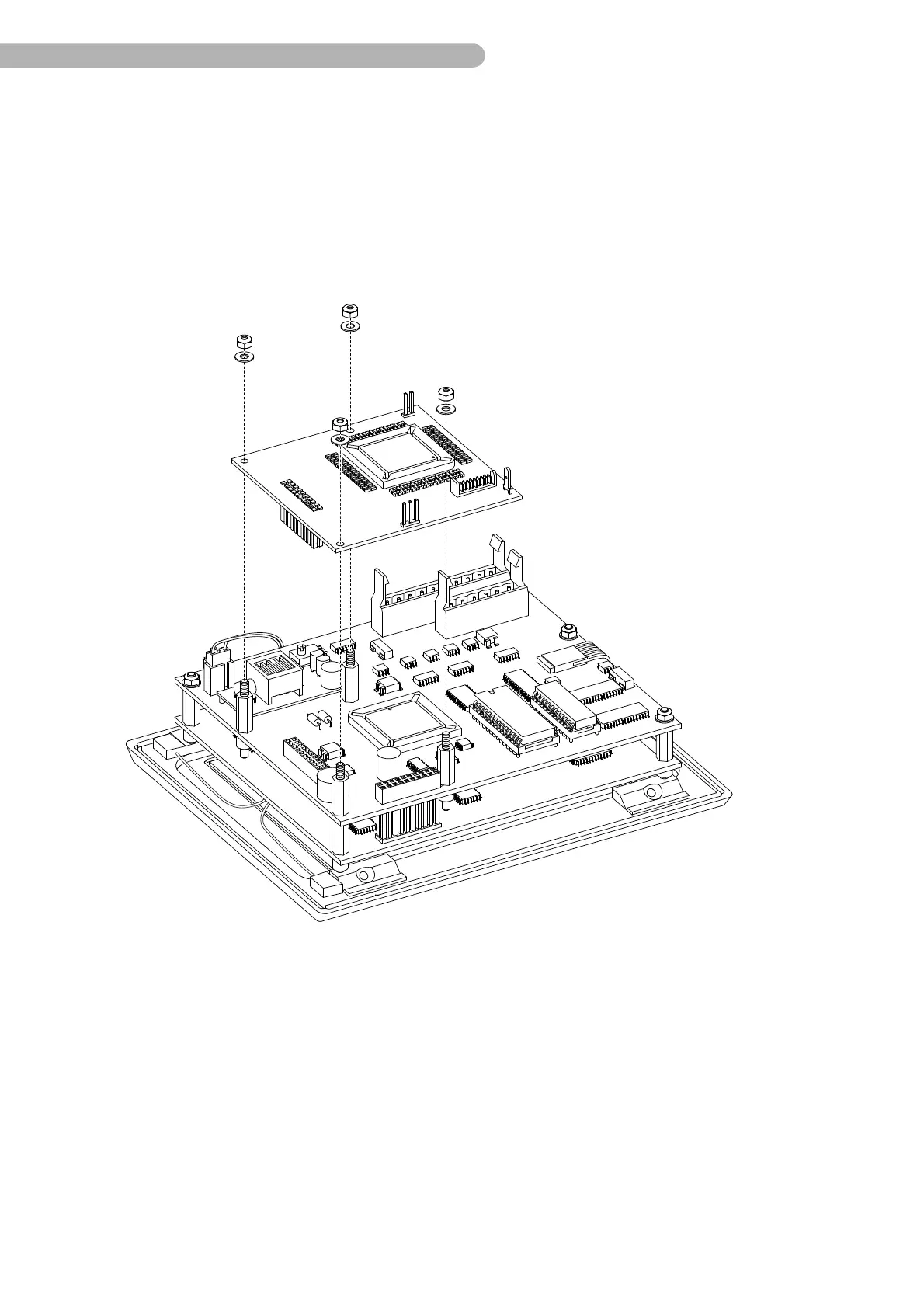
fig. 35: Removing the interface circuit board
◗ All connectors have already been removed when disassembling the touch screen module.
◗ Remove the four nuts (self-locking, size 5.5) including the washers and carefully lift the circuit
board, keeping it in a vertical position, away from the bolts. Ensure that the contacts on the
connector B 9 (CPU circuit board to the interface) circuit board are not bent.



 To Next Page