SCPC System • User menu and service menu
CP_SEM_60-03-00.002 39
4.2.5 Calibrate the touch screen
If software buttons react only if you press a button at several positions, that is, if the position where
the button reacts has shifted, it may be necessary to calibrate the touch screen. It may also be
necessary to calibrate after ZDS board and/or EPROM replacement.
INSTRUMENTE GMBH
SCPC System
Firmware Version: V1.5 / V1.0 / V1.0
1
1
2
INSTRUMENTE GMBH
SCPC System
Firmware Version: V1.5 / V1.3 / V1.1
Start Key Calibration?
YES
NO
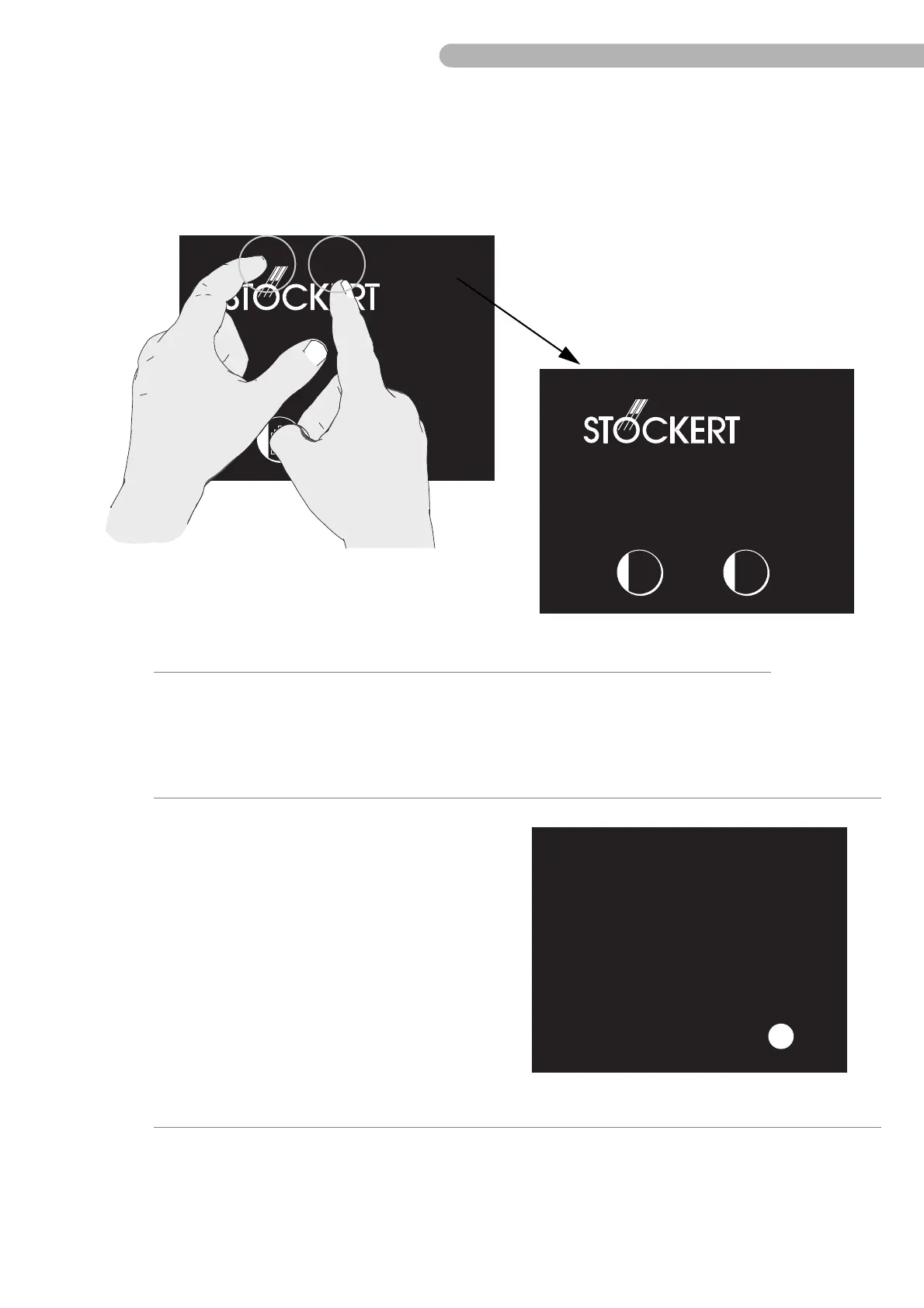
◗ To open the Key Calibration menu, press the two hidden buttons on the start page in quick
succession:
– the stripes/dots above the letter "o"(the "ö") in the Stöckert logo, and
– the area just above the letter "E" in the Stöckert logo.
–
◗ To start calibration, press “YES”.
The display now goes blank and displays the number
“1” in a small circle.
◗ Press the displayed number; the small button will
disappear and the number “2” button is
displayed.
◗ Press the displayed numbers through number
“54”.
The small buttons will be displayed in different
locations across the touch screen.
◗ After you have finished, wait for 2-3 seconds.
The start page is displayed again and the calibration
procedure is completed.



 To Next Page